

Price and ratings
- Price
- £1.99
- Rating
- 3.0 out of 5
- Ratings
- 380United Kingdom
Versions
- Released
- 25 Jan 201016 years ago
- Last update
- 6 days agoVersion 1.7.3
- Requires
- iOS 15.6 or later
Details
- Size
- 8.1 MB
- Languages
- 1
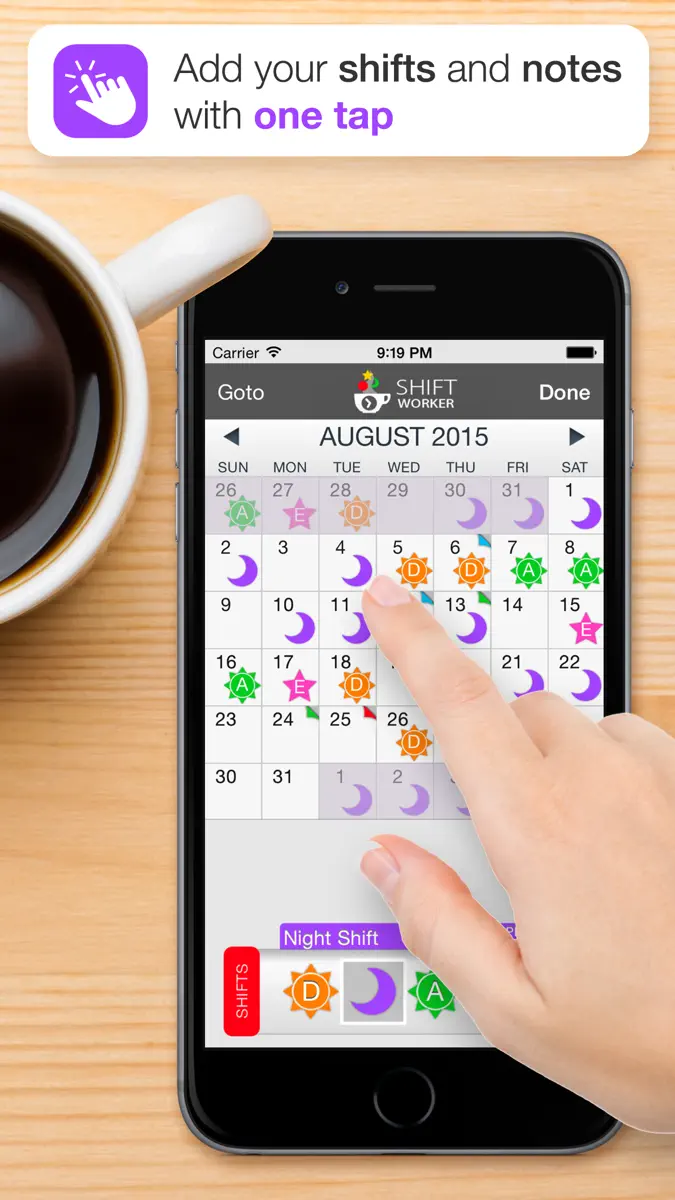
Shift Worker is designed for people who need a quick and easy way to enter and view their shifts. A traditional calendar is not always ideal for shift workers. Sometimes it's not easy to see your upcoming shift schedule very clearly, especially if your shifts don't fall into the traditional working week. Shift Worker solves this problem and turns the frustrating task of entry into a quick and easy experience. Shift Worker allows you to create your own types of shifts by combining…
Competitors
Full chartTop of Paid · Productivity in Canada. Shift Worker is #5 there. Changes are over 7 days.
- #1 (number one)Change unknown
 Goblin ToolsSkyhook
 - #2Change unknown
 QuickBend: Conduit BendingBret Hardman
 - #3Change unknown
 Things 3Cultured Code GmbH & Co. KG
 - #4Change unknown
 Groundwire: VoIP SIP SoftphoneAcrobits
 - #6Change unknown
 UnTrap for YouTubeYevhen Tretiakov
 - #7Change unknown
 iFacialMocapDevelopW LLC
 - #8Change unknown
 LineLearnerPeter Allday
 - #9Change unknown
 Whisper Notes - Speech to TextSmashMelon LLC
 - #10Change unknown
 eDrawingsDassault Systemes SolidWorks Corporation
 - #11Change unknown
 MobileFamilyTree 11Synium Software GmbH
 - #12Change unknown
 BusyCal: Calendar & TasksBusy Apps FZE
 - #13Change unknown
 SocialFocus: Hide DistractionsYevhen Tretiakov
 - #14Change unknown
 Open Relay - Open WebUI ClientAbhishek Bhardwaj
 - #15Change unknown
 Möbius Sync ProPickup Infinity Limited
 - #16Change unknown
 Awesome CalendarYunaSoft Inc.
 - #17Change unknown
 Focus Noodles-Study timerideaTiny Co., Ltd.
 - #18Change unknown
 AddToPDFDENIS SAUVE
 - #19Change unknown
 2Do: To Do List & Task ManagerBeehive Innovations Services
 - #20Change unknown
 ScrivenerLiterature & Latte
 - #21Change unknown
 GoodReader PDF Editor & ViewerGood.iWare, Inc.
Store listing
How the app presents itself on the App Store. Select a screenshot to open it full size.




What's new
Version 1.7.3 · 1 Oct 2026 · 6 days ago
What's new in 1.7.3 • Fixed a crash that could happen when opening a backup file by email. What's new in 1.7.2 • Go to Month now reaches back five years instead of two, so older shifts are easy to find. There's also a new Today button that takes you straight back to the current month. • You can now turn Calendar Sync off without resubscribing. Open the Calendar Sync screen and tap "Turn Off Calendar Sync". The shifts already on your calendar stay exactly as they are. • Tidied up the layout of the Shift Manager, Rotation Manager, Week Pattern and Start of Week screens, and fixed the weeks and days picker being partly cut off when creating a new rotation on taller phones. • Synced shifts no longer show a website address where a location would normally go. • Tell your Friends now has a genuine Share to Facebook option, plus a general Share… button that opens your iPhone's own share sheet. • Feedback & Support, Tell your Friends and Write a Review have a tidier new look, matching the rest of Settings, with modern Facebook, Instagram and X icons. • Fixed Write a Review not doing anything when tapped. • Fixed the links shared by email, text message, backup-by-email, and Tell your Friends • Tidied up the layout of the Shift Manager, Rotation Manager, Week Pattern and Start of Week screens • Fixed a compatibility issue with iOS 15 What's new in 1.7.1 • Notes now show every line. If you wrote a note on more than one line, only the first line appeared below the calendar. All your lines show now. What's new in 1.7.0 Added: • Sync your shifts straight to your calendar. Turn on Calendar Sync (from Settings, or the new shortcut icon on the main screen) and every shift automatically appears in your device's Calendar app, staying up to date on its own whenever a shift changes. No manual re-syncing needed! • Choose exactly which calendar your shifts go to, including a shared or family calendar if you'd rather everyone see your schedule there. • Pick when you want to be reminded - no alert, right at the time of the shift, or anywhere from 5 minutes up to a full week beforehand. • Calendar Sync is a subscription (monthly or yearly) option. Improved: • If you sync to a calendar shared with others, a note now explains they'll see your shift updates too. • Re-syncing no longer rewrites events that haven't actually changed, so anyone else on a shared calendar isn't pinged with "this event changed" notifications for nothing. • Only your current and future shifts get synced. Past history isn't back-filled, but a shift that was already synced stays on your calendar even once its date has passed, instead of quietly disappearing. • Turning sync off now also cleanly removes the shifts it had added to your calendar. Fixed: • Reminders sometimes not showing up at all on newly-added synced shifts. • Reminders occasionally only "sticking" on the last shift when several were synced at once. • Swipe-to-delete not working in Shift Manager. • Bulk Actions rows not responding to taps. • Importing a .swc/.swb backup file skipping the calendar picker. • Sync occasionally reading from the wrong calendar rather than the one you had actively selected. • Bottom toolbar buttons (the calendar and settings icons especially) occasionally not responding to the very first tap.
Current rankings
Every chart this app is in right now, best position first.
| Chart | Rank | 24 h | 7 days | Best | Days on chart |
|---|---|---|---|---|---|
| Canada· Paid · Productivity | #5 | Change unknown | Change unknown | #5 | 1 |
| United Kingdom· Paid · Productivity | #9 | Change unknown | Change unknown | #9 | 1 |
| Australia· Paid · Productivity | #11 | Change unknown | Change unknown | #11 | 1 |
| United States· Paid · Productivity | #71 | Change unknown | Change unknown | #71 | 1 |
Rank history
Higher on the chart is better: #1 is at the top.
Sign in to see 30 days, 90 days and all history.
Not enough history yet
The chart fills in as new snapshots arrive (about every 6 hours).
Ranking events
Entries, big moves, #1s and new versions we've recorded.
No events recorded yet
Events appear as the app enters charts, moves 25+ places or ships a new version.