

ScreenCommand
Simple Products Studio
Getting the latest details from the App Store…
Simple Products Studio
Getting the latest details from the App Store…

iPadやiPhoneと外部モニター/TVが、デスクトップ級のブラウジング環境に。iPadOSの拡張ディスプレイ表示に対応していない、Mシリーズ非搭載のiPadでも使えます。 大画面にはデスクトップ級のフルブラウザ。iPadやiPhoneはトラックパッドとキーボードになります。カーソルは8種類、タブは最大12個をログインしたまま保持、YouTubeは最大4K画質、ケーブル接続ならNetflixなどのストリーミングも再生できます。買い切りなのでサブスクリプションはありません。 【重要】外部モニターまたはTVが必要です。ScreenCommandは、USB-C(またはUSB-C to HDMI/DisplayPortアダプタ)で接続した外部ディスプレイ、あるいはApple TVへのAirPlayでブラウザを表示し、iPadやiPhone本体はトラックパッド兼操作パネルになります。ディスプレイを接続していない場合、アプリは「外部ディスプレイを接続」のセットアップ画面しか表示しません。端末単体で使えるブラウジングモードはありません。 【大画面でストリーミング】Netflix、Prime
Top of Paid · Productivity in Japan. ScreenCommand is #40 there. Changes are over 7 days.


How the app presents itself on the App Store. Select a screenshot to open it full size.
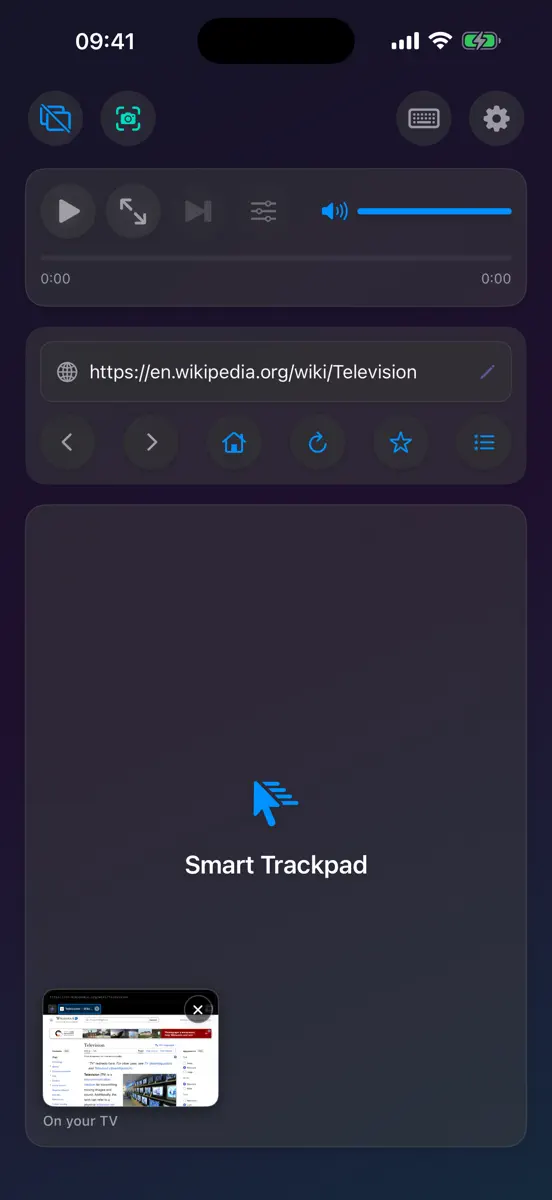
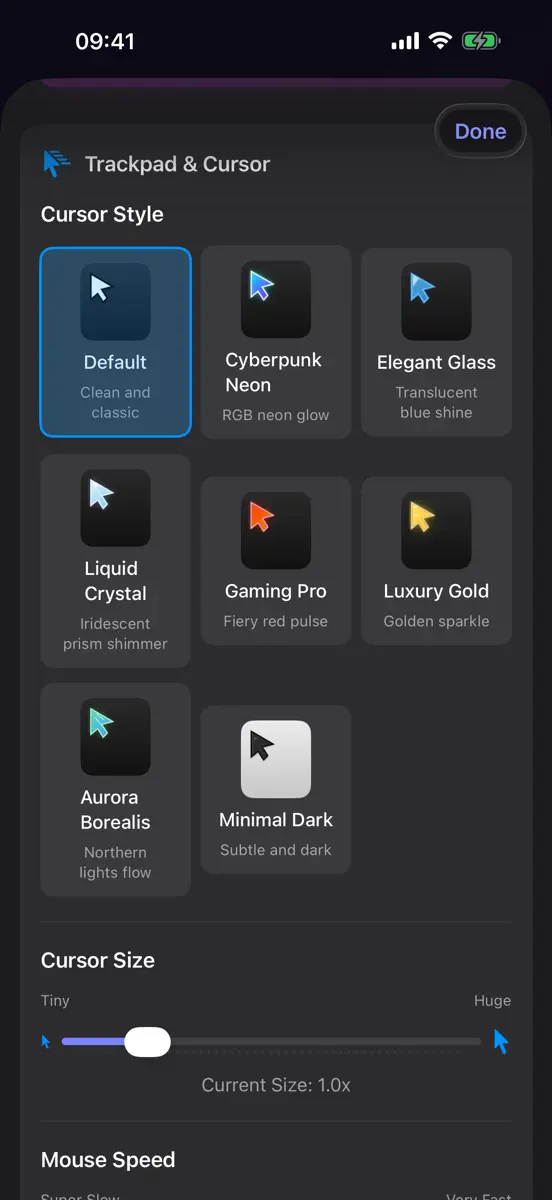

Version 1.2 · 26 Sep 2026 · 15 days ago
ScreenCommand 1.2でiPhoneに対応。ケーブル接続ならNetflixなどのストリーミングサービスも再生できるようになりました。 • iPhoneに対応:モニターやTVにつなぐか、Apple TVへAirPlayすれば、iPhoneがトラックパッド兼キーボードになります。ケーブル接続には、USB-Cでの映像出力に対応したiPhoneが必要です(iPhone 15以降。iPhone 16e、iPhone 17e、iPhone Airを除く)。 • Netflix、Prime Video、Apple TV+、Paramount+、Peacockなどのストリーミングサービスが、USB-CケーブルでつないだTVで再生できるようになりました。 • Netflixなどのサインインフォームで、入力した文字が正しく反映されるようになりました。これまでは、次の入力欄に移ると文字が消えてしまうことがありました。 • iPhone向けの操作画面:縦向きでは操作ボタンがトラックパッドの上に、横向きではトラックパッドの横に並びます。アドレスバーには専用の行を設けました。 • iPhone用の新しいキーボードレイアウト。Tab、.com、ペースト、矢印キーを専用の細い段にまとめました。 • 一度の購入で、iPhoneでもiPadでもお使いいただけます。 • 11インチ以下のiPadを縦向きで使うとき、操作ボタンが画面の端からはみ出さず、画面内に収まるようになりました。 • チュートリアルで、ページの保存とお気に入りを開く手順が飛ばされる問題を修正しました。 ご質問・ご意見は support@screencommand.app までお寄せください。
Every chart this app is in right now, best position first.
| Chart | Rank | 24 h | 7 days | Best | Days on chart |
|---|
Higher on the chart is better: #1 is at the top.











| Japan· Paid · Productivity | #40 | New entry | Change unknown | #33 | 2 |
| United States· Paid · Productivity | #68 | New entry | Change unknown | #54 | 2 |
Sign in to see 30 days, 90 days and all history.
Japan · Paid · Productivity: best #33, latest #40, over 6 snapshots since 8 Oct. No snapshots from 8 Oct to 9 Oct, on 9 Oct, and on 10 Oct; the line joins the snapshots on either side.
Entries, big moves, #1s and new versions we've recorded.