

Layoverly - Flight Crew Tools
Layoverly, LLC
Getting the latest details from the App Store…
Layoverly, LLC
Getting the latest details from the App Store…

Layoverly is built for flight crews who want to make every layover count. Layoverly generates personalized itineraries tailored to your destination, your preferences, your budget, and your time on the ground — automatically. PERSONALIZED LAYOVER ITINERARIES - AI-powered trip planning that adapts to your interests - Smart hotel-anchored routing — every stop close to where you sleep - Weather-aware suggestions and real-time event integration - Built-in walking, public transit, and ride-share…
Top of Grossing · Travel in India. Layoverly - Flight Crew Tools is #39 there. Changes are over 7 days.



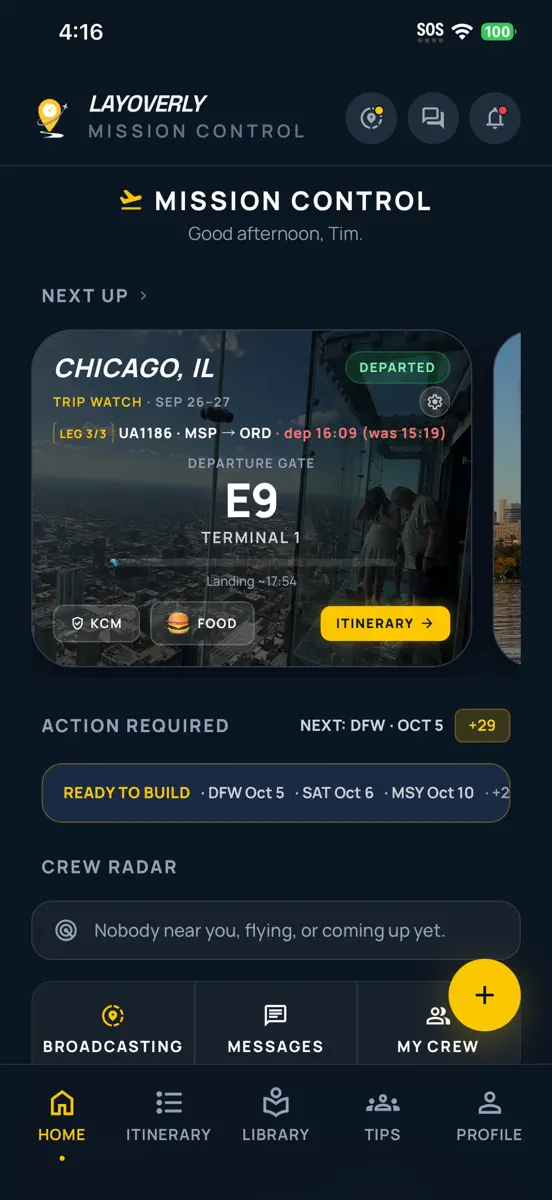
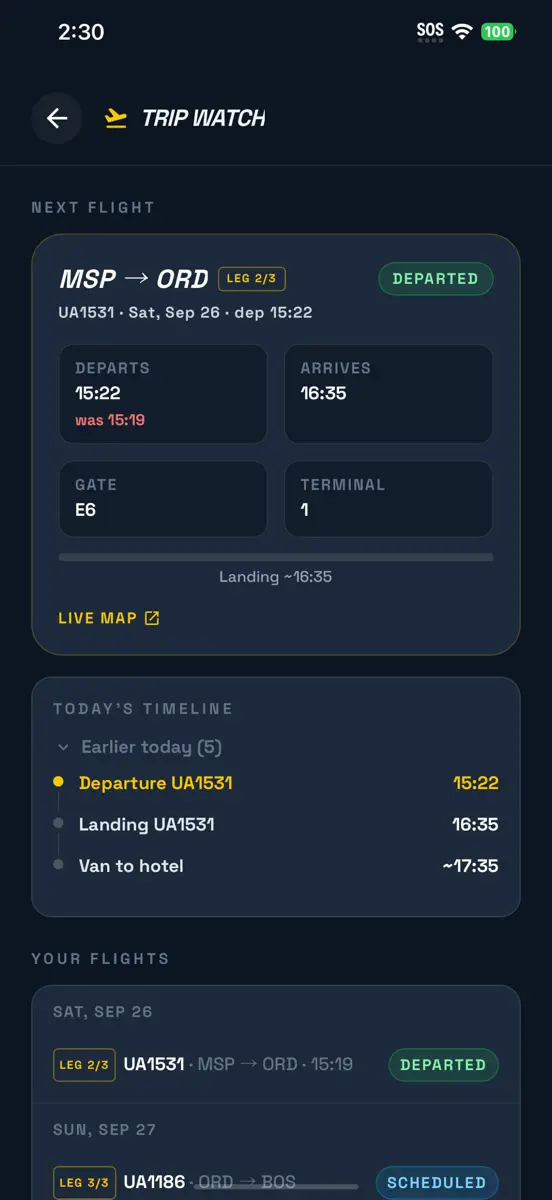
How the app presents itself on the App Store. Select a screenshot to open it full size.





Version 3.0.8 · 9 Oct 2026 · 4 days ago
Your first layover plan is on us, plans that stay in one neighborhood, and every time on its own airport's clock. YOUR FIRST PLAN IS ON US. Import your schedule and we build one plan for your next layover with a hotel, so you see what Layoverly does before you build anything yourself. After that one, every plan is yours: tap any layover and choose what you're in the mood for. We tell you when it's being built — on the import page, on Home, and in the new getting-started checklist. RIDE THERE, THEN WALK. With Taxi/Ride or transit selected, a plan now takes you to one good neighborhood and keeps every stop within your walking radius of it — one ride out, one back — instead of criss-crossing the city. Walk-only plans are unchanged. EVERY TIME ON ITS OWN CLOCK, ahead of the Nov 1 clock change. Flight times across Layoverly are read on the airport's clock, never your phone's. Widgets follow the right flight on overnight legs, the in-flight progress bar is right on cross-country flights, layovers that span the clock change import correctly, and every landing, departure and report time names its airport — "Landed 09:32 BOS". Trips you typed in or scanned from a screenshot now show on the widget and in Trip Watch too. SCHEDULE SYNC IN ABOUT 25 SECONDS, down from a minute and a half, with the same flights found. ALERTS OFFERED WHEN THEY MATTER. Right after your schedule imports, one card explains why Trip Watch and Crew Radar want notifications and lets you turn them on. If alerts are off for a flight you're watching, Home says so with a one-tap fix. CREW RADAR "FLYING TODAY" MEANS TODAY. "At the airport" now means a friend's next leg leaves within six hours, and a friend flying tomorrow says so — "Flying tomorrow · departs 06:10". Friends on a layover show too, as a purple pin and an "On layover" row with the city and the flight that ends it. Days off at home base stay private. ALSO: share a family link from the import page and Trip Watch; the blue hotel pin is back on every map; a getting-started checklist on Home; a "Want a plan for it?" nudge for your next unplanned layover; a count of crew from your airline based at your airport; the Live Activity shows your landing time beside the departure, each labelled with its airport; weather days are the destination's days; Event Explorer now opens for trips synced from your calendar; the Air Canada entry in the import wizard is corrected while we confirm the export path with AC crew (screenshot import works today).
Every chart this app is in right now, best position first.
| Chart | Rank | 24 h | 7 days | Best | Days on chart |
|---|---|---|---|---|---|
| India· Grossing · Travel | #39 | New entry | Change unknown | #39 | 1 |
Higher on the chart is better: #1 is at the top.
Sign in to see 30 days, 90 days and all history.
India · Grossing · Travel: best #39, latest #39, over 13 snapshots since 8 Oct. No snapshots from 8 Oct to 9 Oct, on 9 Oct, on 10 Oct, on 11 Oct, on 12 Oct, and on 13 Oct; the line joins the snapshots on either side.
Entries, big moves, #1s and new versions we've recorded.
