

As of 31 Oct 2026, Arbeitszähler: Stundenrechner is #47 in Grossing · Business in Germany, the one tracked chart it's in.
Current rank
#47Germany · Grossing · Business
- Was
- —7 days ago
- Change
- Not enough history yetover 7 days
- Best
- #47in 7 days
- Longest chart run
- 1 dayGermany · Grossing · Business
- New ratings, 7 days
- —Needs a week of rating history
What's new
Version 4.5.0 · 24 days ago
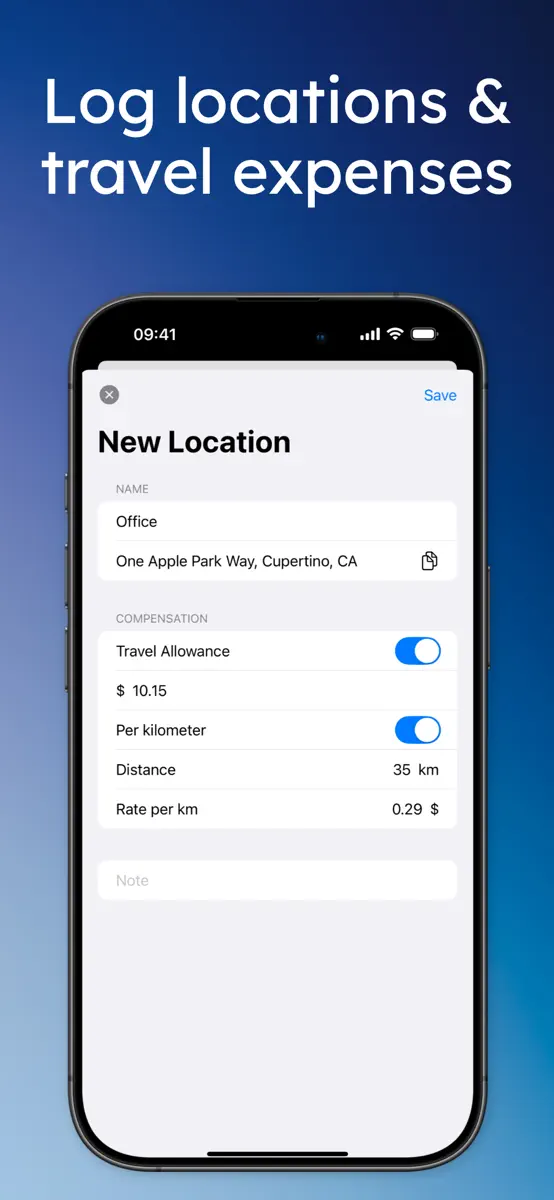
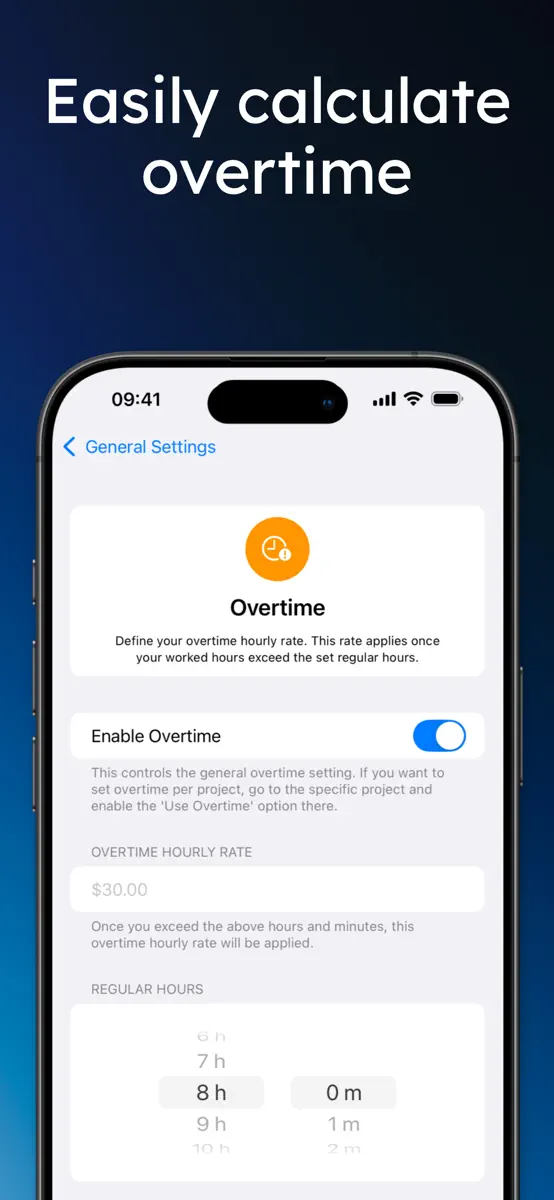
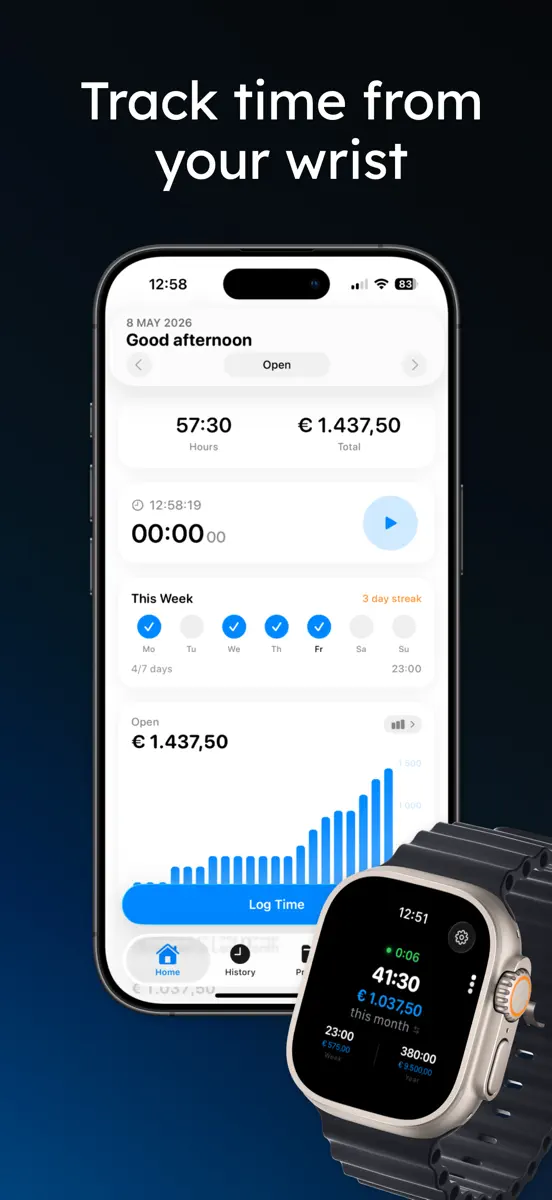
• Pause: take a break while clocked in. The timer stops and your break is subtracted when you clock out. Also from the Live Activity, widget and Apple Watch. • Holidays & Time Off: mark holidays, sick days and vacation, also as half days. See your vacation balance and earn extra pay on holidays. • Calendar View: see your month at a glance in History, with days off and workdays you forgot to log. • Shared Tasks: one task list for all your projects, with a rate per task. • Custom Period & Time Zones: pick any date range, and entries keep the time zone they were made in. • Smarter Invoices: every invoice is kept, to open again, change and mark as paid. Import your hours, overtime and travel costs in one tap. • Help & Feedback: suggest a feature or report a bug right from the app. • More accurate earnings: a project or person without a rate no longer sets your earnings to 0, overtime starts after 8 hours unless you set another limit, and rounding uses the interval shown in Settings. Entries keep the rate, overtime and travel costs they were saved with. • Support for larger text sizes, smoother animations and many bug fixes.
Ranking events
- Entered the Grossing · Business chart at #47Germany
About
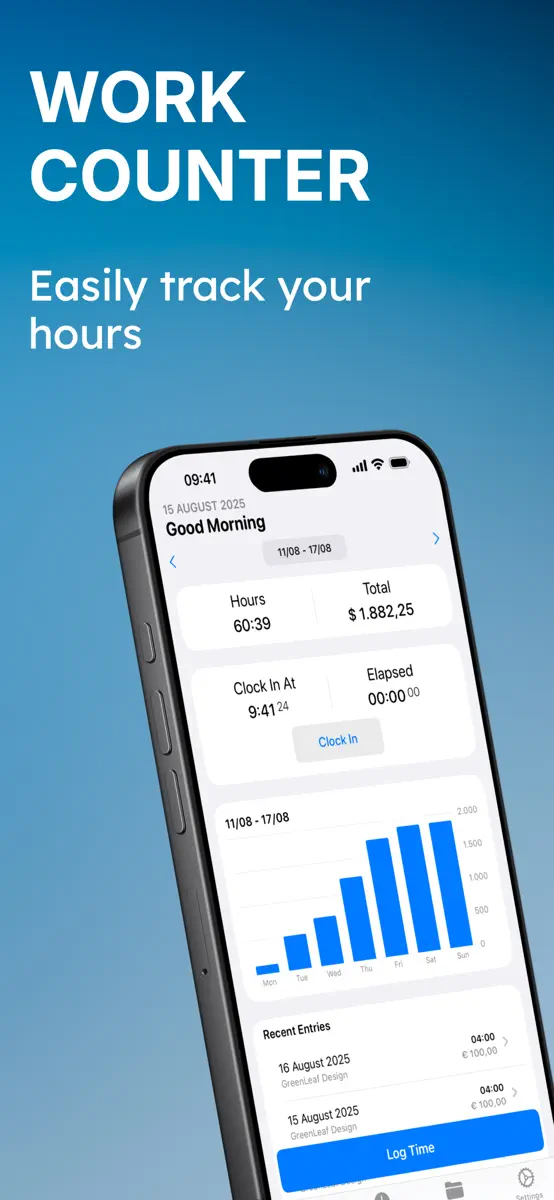
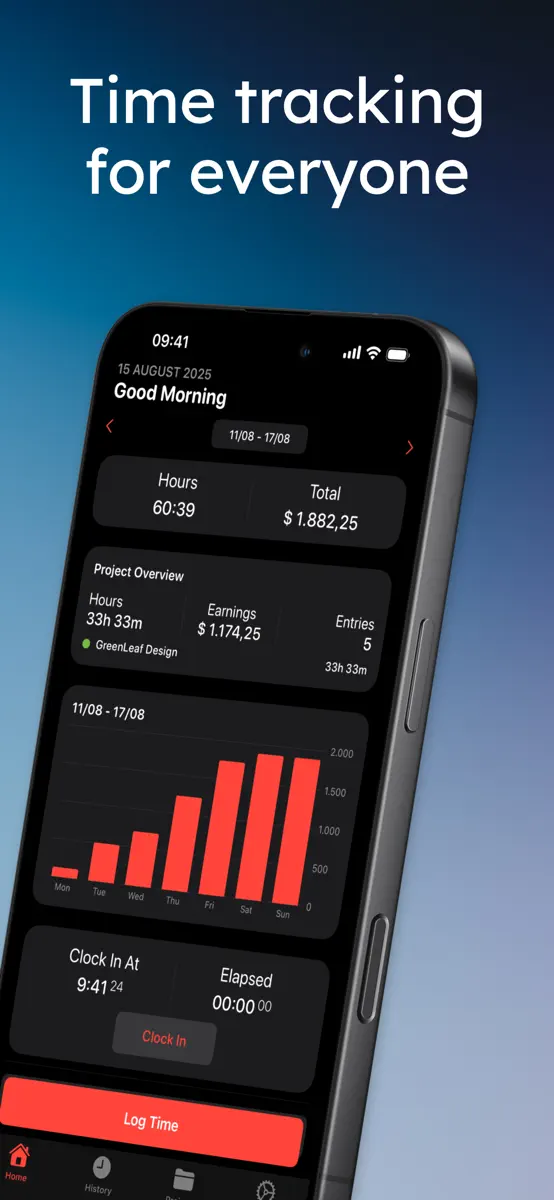
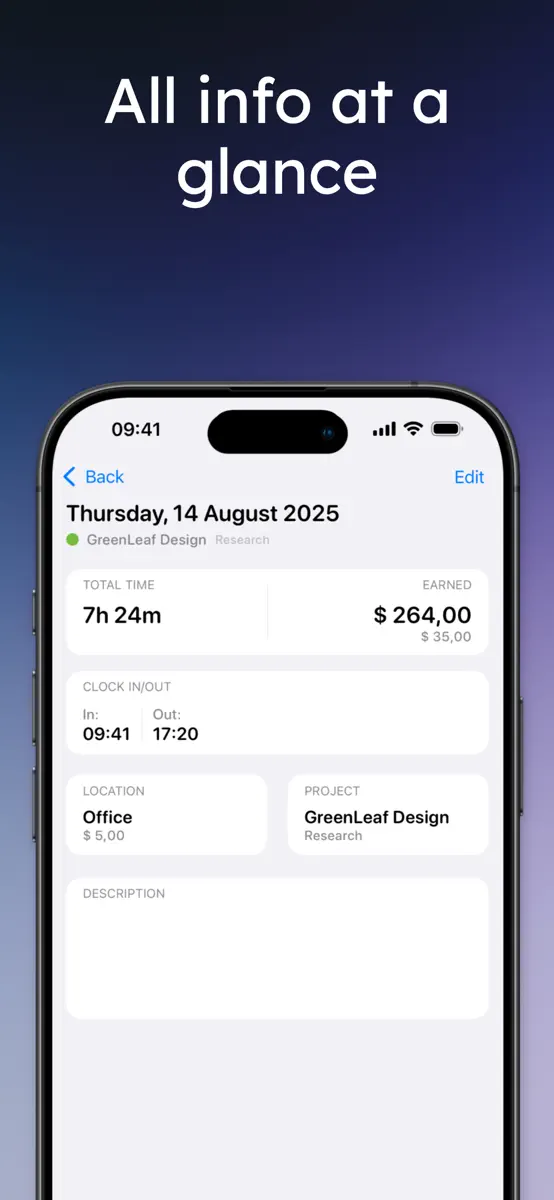
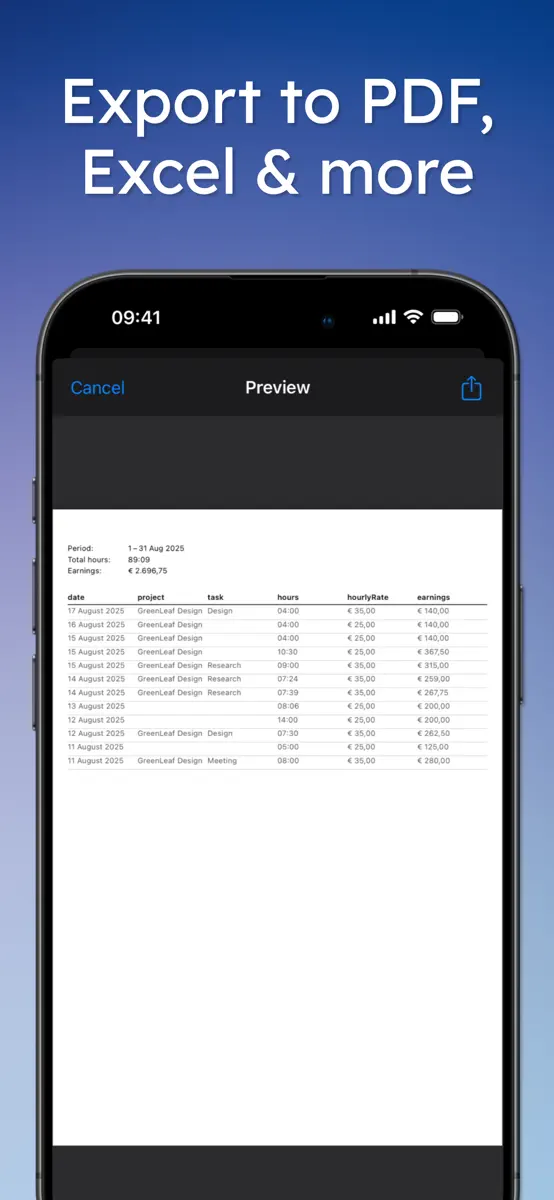
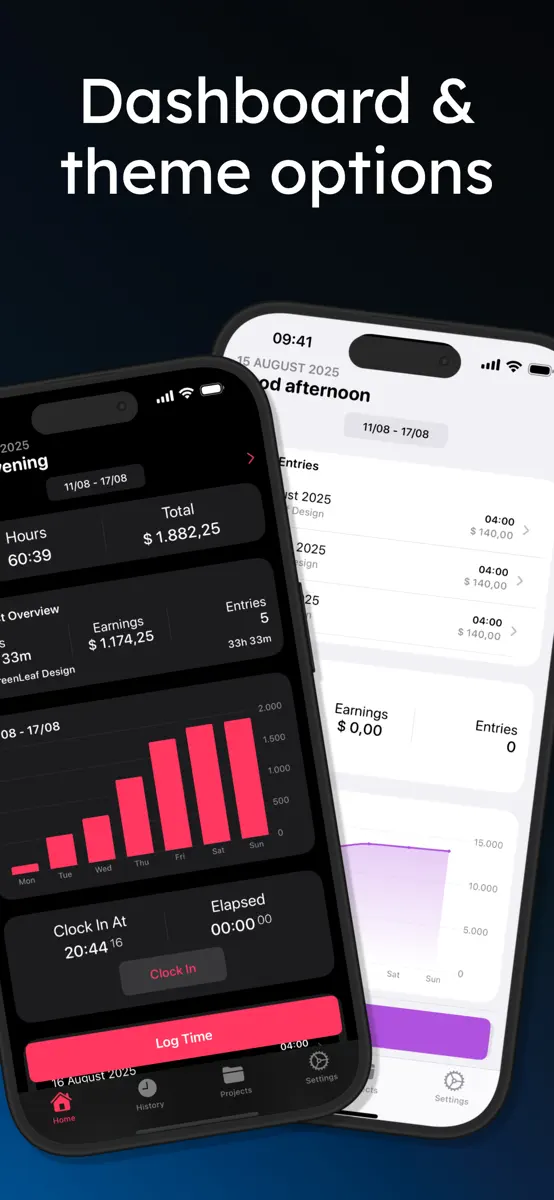
Work Counter shows you exactly what you worked and earned, per project or in total, overtime included. Clock in with one tap, take a break, clock out: your hours, pay and timesheet are done. No account needed, and your data stays on your device and in your own iCloud. • Clock in and out from the app, Lock Screen, a widget, Siri or Apple Watch • Organize your hours by project and task, with totals and charts per project • Pause for a break, it is subtracted automatically • Clock in…
Ranks come from Apple's public App Store charts, checked once a day. Appulse Index isn't affiliated with Apple.
Rank history
Higher on the chart is better: #1 is at the top.
Sign in to see 30 days, 90 days and all history.
Germany · Grossing · Business: best #47, latest #47, over 7 snapshots since 25 Oct.
In 1 chart now
| Chart | Rank | 24 h | 7 days | Best | Days on chart |
|---|---|---|---|---|---|
| Germany· Grossing · Business · best #47 · 1 day | #47 | New entry | Not enough history yet | #47 | 1 |
Competitors
Full chartTop of Grossing · Business in Germany. Arbeitszähler: Stundenrechner is #47 there. Changes are over 7 days.
- #1 (number one)No change
 LinkedIn: Community & NetworkLinkedIn Corporation
 - #2No change
 iScanner: PDF Document ScannerBPMobile
 - #3No change
 Acrobat Reader: PDF EditorAdobe Inc.
 - #4No change
 Adobe Scan: PDF & Doc ScannerAdobe Inc.
 - #5Up 1 place
 Scanner Pro - Scan to PDFReaddle Technologies Limited
 - #6Down 1 place
 Zoom WorkplaceZoom Communications, Inc.
 - #7Up 1 place
 XING – Jobs, die zu Dir passenNew Work SE
 - #8Up 1 place
 Scanner App - Scan PDF & DocsTAPSUITE YAZILIM HIZMETLERI ANONIM SIRKETI
 - #9Up 2 places
 Billdu: Invoice Estimate MakerBILLDU LTD
 - #10Down 3 places
 WhatsApp BusinessWhatsApp Inc.
 - #11Down 1 place
 PDF Scanner App, OCR: DocutainINFOSOFT Informations- und Dokumentationssysteme GmbH
 - #12Up 3 places
 Boards.comBoards.com Ltd
 - #13No change
 Package Tracker - pkge MobileDARADDO APPS
 - #14Down 2 places
 Scan to PDF-Document ScannerScanner App PDF Tool
 - #15Up 2 places
 sevdesk Buchhaltung & RechnungsevDesk GmbH
 - #16Down 2 places
- #17Down 1 place
 MobiOffice・Word Docs・Excel・PDFMobiSystems, Inc.
 - #18Up 1 place
 Scanner App: Genius ScanThe Grizzly Labs
 - #19Up 5 places
 ManychatManychat
 - #20Up 2 places
 Printer app ®SMM service, s.r.o.

Screenshots

More from Youri Berentsen
| App | Best rank now | Released | App Store |
|---|---|---|---|
 PocketTrip: Viáticos y GastosTravel · | Not charting |
As of 31 Oct 2026, Arbeitszähler: Stundenrechner is #47 in Grossing · Business in Germany, the one tracked chart it's in.
Store listing
How the app presents itself on the App Store. Select a screenshot to open it full size.
App facts
What Apple publishes about this app. Ratings are from one country's App Store.
- Price
- Free
- Rating
- 4.8 / 5 stars55 ratings United States
- Released
- 8 Mar 2020
- Last update
- Version 4.5.0
- Requires
- iOS 17.0or later
- Size
- 32.4 MB
- Languages
- 14
Rank history
Higher on the chart is better: #1 is at the top.
Sign in to see 30 days, 90 days and all history.
Germany · Grossing · Business: best #47, latest #47, over 7 snapshots since 25 Oct.
Current rankings
Every chart this app is in right now, best position first.
| Chart | Rank | 24 h | 7 days | Best | Days on chart |
|---|---|---|---|---|---|
| Germany· Grossing · Business · best #47 · 1 day | #47 | New entry | Not enough history yet | #47 | 1 |
Ranking events
Entries, big moves, #1s and new versions we've recorded, by day.
- Entered the Grossing · Business chart at #47Germany
Competitors
Full chartTop of Grossing · Business in Germany. Arbeitszähler: Stundenrechner is #47 there. Changes are over 7 days.
- #1 (number one)No changeLinkedIn: Community & NetworkLinkedIn Corporation
- #2No changeiScanner: PDF Document ScannerBPMobile
- #3No changeAcrobat Reader: PDF EditorAdobe Inc.
- #4No changeAdobe Scan: PDF & Doc ScannerAdobe Inc.
- #5Up 1 placeScanner Pro - Scan to PDFReaddle Technologies Limited
- #6Down 1 placeZoom WorkplaceZoom Communications, Inc.
- #7Up 1 placeXING – Jobs, die zu Dir passenNew Work SE
- #8Up 1 placeScanner App - Scan PDF & DocsTAPSUITE YAZILIM HIZMETLERI ANONIM SIRKETI
- #9Up 2 placesBilldu: Invoice Estimate MakerBILLDU LTD
- #10Down 3 placesWhatsApp BusinessWhatsApp Inc.
- #11Down 1 placePDF Scanner App, OCR: DocutainINFOSOFT Informations- und Dokumentationssysteme GmbH
- #12Up 3 placesBoards.comBoards.com Ltd
- #13No changePackage Tracker - pkge MobileDARADDO APPS
- #14Down 2 placesScan to PDF-Document ScannerScanner App PDF Tool
- #15Up 2 placessevdesk Buchhaltung & RechnungsevDesk GmbH
- #16Down 2 places
- #17Down 1 placeMobiOffice・Word Docs・Excel・PDFMobiSystems, Inc.
- #18Up 1 placeScanner App: Genius ScanThe Grizzly Labs
- #19Up 5 placesManychatManychat
- #20Up 2 placesPrinter app ®SMM service, s.r.o.
- #47New entryArbeitszähler: StundenrechnerThis app
About
From the app's App Store listing.
Work Counter shows you exactly what you worked and earned, per project or in total, overtime included. Clock in with one tap, take a break, clock out: your hours, pay and timesheet are done. No account needed, and your data stays on your device and in your own iCloud.
- Clock in and out from the app, Lock Screen, a widget, Siri or Apple Watch
- Organize your hours by project and task, with totals and charts per project
- Pause for a break, it is subtracted automatically
- Clock in…
What's new
Version 4.5.0 · 7 Oct 2026 ·
- Pause: take a break while clocked in. The timer stops and your break is subtracted when you clock out. Also from the Live Activity, widget and Apple Watch.
- Holidays & Time Off: mark holidays, sick days and vacation, also as half days. See your vacation balance and earn extra pay on holidays.
- Calendar View: see your month at a glance in History, with days off and workdays you forgot to log.
- Shared Tasks: one task list for all your projects, with a rate per task.
- Custom Period & Time Zones: pick any date range, and entries keep the time zone they were made in.
- Smarter Invoices: every invoice is kept, to open again, change and mark as paid. Import your hours, overtime and travel costs in one tap.
- Help & Feedback: suggest a feature or report a bug right from the app.
- More accurate earnings: a project or person without a rate no longer sets your earnings to 0, overtime starts after 8 hours unless you set another limit, and rounding uses the interval shown in Settings. Entries keep the rate, overtime and travel costs they were saved with.
- Support for larger text sizes, smoother animations and many bug fixes.
More from Youri Berentsen
Their other apps that Appulse has seen in the charts, charting ones first.
| App | Best rank now | Released | App Store |
|---|---|---|---|
PocketTrip: Viáticos y GastosTravel · | Not charting |
Ranks come from Apple's public App Store charts, checked once a day. Appulse Index isn't affiliated with Apple.