

As of 10 Nov 2026, My Styles: Custom Website Look is #28 in Paid · Developer Tools in Mexico, its best of 3 chart positions across 3 countries. Over the last 7 days its biggest fall was 71 places, to #72 in Paid · Developer Tools in Canada. Its best rank in the last 7 days was #3 in Paid · Developer Tools in Mexico. Appulse Index first saw My Styles: Custom Website Look in a tracked chart on 11 Oct 2026. Since then it has charted on 30 days in 6 countries, with a best rank of #1 in Paid · Developer Tools in Canada on 2 Nov 2026.
Current rank
#28Mexico · Paid · Developer Tools
- Was
- #27 days ago
- Change
- Down 26 placesover 7 days
- Best
- #3in 7 days
- Longest chart run
- 18 daysCanada · Paid · Developer Tools
- New ratings, 7 days
- 0Mexico · since 3 Nov 2026
Chart record
Every tracked chart, country and day since Appulse Index first saw this app in a chart.
What's new
Version 3.0.1 · 6 days ago
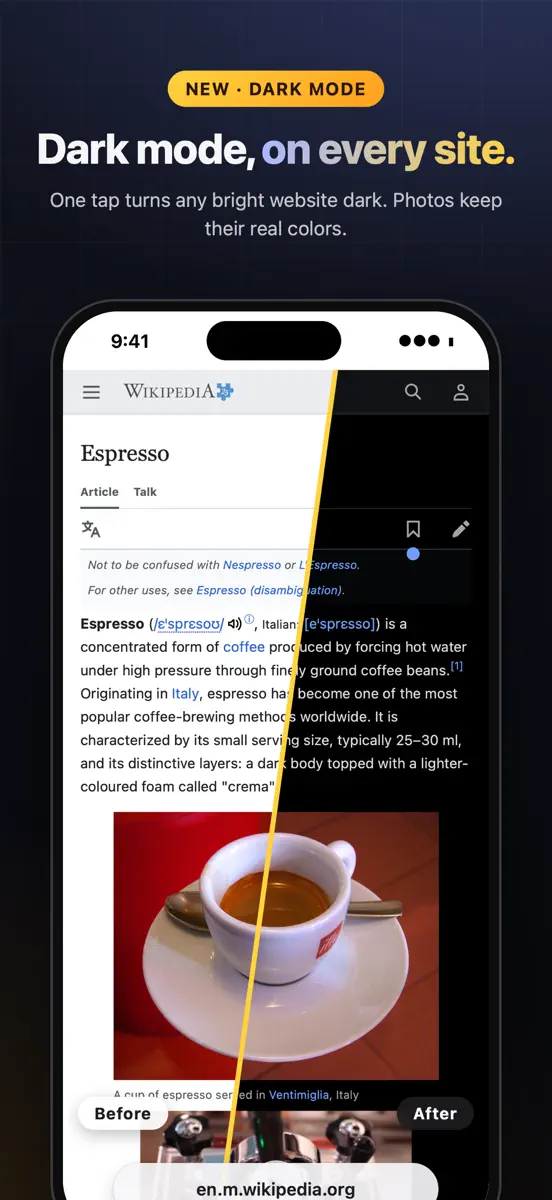
NUEVO: modo oscuro para cualquier sitio web. Actívalo desde el botón de la barra de herramientas o desde el editor. Las fotos y los videos conservan sus colores reales. También en esta actualización: - Más rápido: los cambios solo actualizan las pestañas que lo necesitan - Los atajos de teclado ya no se activan mientras escribes en editores web - Se corrigió el CSS personalizado con imágenes incrustadas, Google Fonts y animaciones - Reinstalar un userstyle conserva tu configuración - Los nombres de los estilos vuelven a leerse bien en el menú oscuro ¿Te gusta My Styles? ¡Una calificación rápida ayuda a otros usuarios de Safari a encontrarnos!
Ranking events
- Dropped #7 → #50 in Paid · Developer ToolsUnited Kingdom
- Dropped #5 → #38 in Paid · Developer ToolsCanada
- Entered the Grossing · Developer Tools chart at #48United Kingdom
- Entered the Paid · Developer Tools chart at #3United Kingdom
- New version 3.0.1 (was 3.0)
- New version 3.0 (was 2.0)
Show 19 earlier events
- Entered the Grossing · Developer Tools chart at #11Mexico
- Entered the Paid · Developer Tools chart at #2Mexico
- Entered the Grossing · Developer Tools chart at #18Canada
- Climbed #82 → #1 in Paid · Developer ToolsCanada
- Reached #1 in Paid · Developer ToolsCanada
- Climbed #53 → #21 in Paid · Developer ToolsUnited States
- Dropped #18 → #60 in Paid · Developer ToolsGermany
- Dropped #70 → #100 in Grossing · Developer ToolsGermany
- Climbed #53 → #15 in Paid · Developer ToolsUnited States
- Entered the Grossing · Developer Tools chart at #47Germany
- Entered the Paid · Developer Tools chart at #6Germany
- Dropped #7 → #39 in Paid · Developer ToolsCanada
- Entered the Paid · Developer Tools chart at #8United States
- Entered the Grossing · Developer Tools chart at #31Canada
- Entered the Paid · Developer Tools chart at #2Canada
- Entered the Paid · Developer Tools chart at #47India
- Entered the Paid · Developer Tools chart at #32United States
- Entered the Grossing · Developer Tools chart at #17India
- Entered the Paid · Developer Tools chart at #3India
About
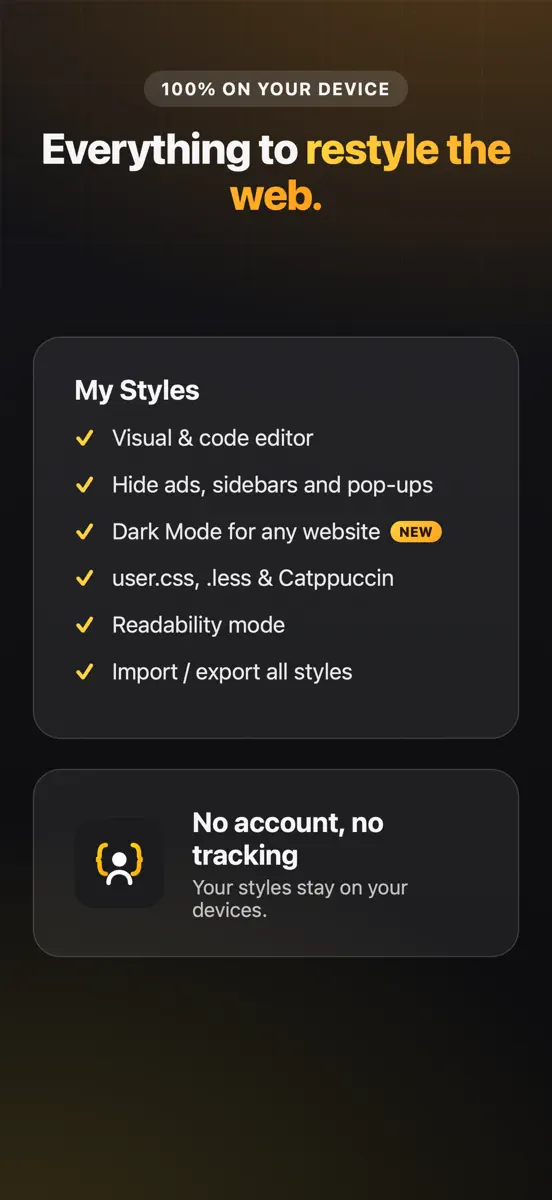
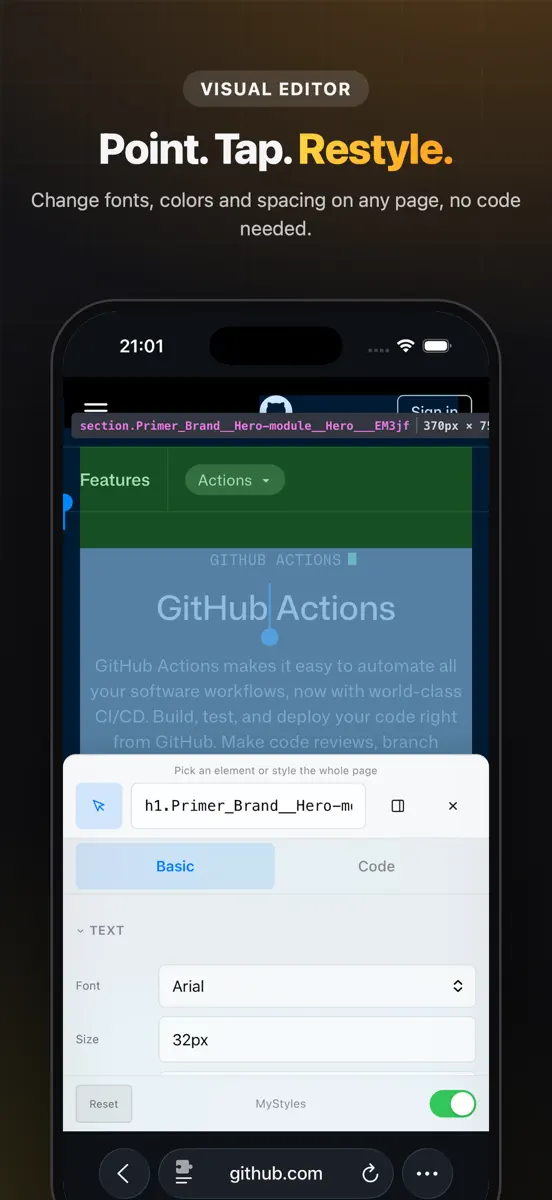
Transforma la web a tu medida. My Styles es una extensión de Safari que cambia el aspecto de cualquier sitio web en segundos, desde un simple ajuste de fuente hasta un rediseño completo con CSS. Ahora con modo oscuro para cualquier sitio. NUEVO: MODO OSCURO PARA CUALQUIER SITIO WEB Oscurece un sitio demasiado claro con un toque, desde el botón de la barra de herramientas o desde el editor. Las fotos y los videos conservan sus colores reales, los sitios que ya son oscuros no se tocan y tus…
Ranks come from Apple's public App Store charts, checked once a day. Appulse Index isn't affiliated with Apple.
Rank history
Higher on the chart is better: #1 is at the top.
Sign in to see 30 days, 90 days and all history.
Mexico · Paid · Developer Tools: best #3, latest #28, over 7 snapshots since 4 Nov.
In 3 charts now
| Chart | Rank | 24 h | 7 days | Best | Days on chart |
|---|---|---|---|---|---|
| Mexico· Paid · Developer Tools · best #2 · 9 days · 7 days Down 26 places | #28 | Down 3 places | Down 26 places | #2 | 9 |
| United Kingdom· Paid · Developer Tools · best #3 · 6 days | #66 | Down 8 places | Not enough history yet | #3 | 6 |
| Canada· Paid · Developer Tools · best #1 · 18 days · 7 days Down 71 places | #72 | Down 8 places | Down 71 places | #1 | 18 |
Competitors
Compare with the top 3Full chartTop of Paid · Developer Tools in Mexico. My Styles: Custom Website Look is #28 there. Changes are over 7 days.
- #1 (number one)Not enough history yet
 gterm: Ghostty SSHShanghai Tangzixiang Information Technology Co., Ltd
- #2Down 1 place
 ResolutionerSun Apps, LLC
- #3Up 1 place
 LadderTouchMotonari Hibi
- #4Up 1 place
 ESP32 BLE TerminalGopi Gadhiya
- #5Up 1 place
 Smart NFCAlec O'Connor
- #6Up 2 places
 Inspect BrowserParallax Dynamics Inc.
- #7No change
 Code Appthebaselab Ltd
- #8Up 3 places
 Echo - SSH + Mosh ClientReplay Software Limited
- #9Up 3 places
 SQLed - SQL Database ManagerAndreas Zimnas
- #10Up 3 places
 Continuous .NET C# and F# IDEKrueger Systems, Inc.
- #11Down 2 places
 Termix Pro: SSH & SFTP ClientSimon Zvara
- #12Up 2 places
 Cookie Editor For SafariZamalabs Yazılım ve Bilgi Teknolojileri Limited Şirketi
- #13Up 2 places
 MongoLime - manage databasesMobibean, LLC
- #14Up 3 places
- #15Down 5 places
 WorkflowHubErik Manuel Taveras Tavarez
- #16Up 2 places
 iHTTP Tracker -Network monitorPhoenix Lab Technology Co., Ltd.
- #17Up 2 places
 OpenTermCHENGDU MIAOZHI TECHNOLOGY CO., LTD.
- #18Up 3 places
 ScarletSteven Troughton-Smith
- #19Up 3 places
 iCardVerify - Card ValidatorAdel Abdelmaseih
- #20Up 3 places


Screenshots



As of 10 Nov 2026, My Styles: Custom Website Look is #28 in Paid · Developer Tools in Mexico, its best of 3 chart positions across 3 countries. Over the last 7 days its biggest fall was 71 places, to #72 in Paid · Developer Tools in Canada. Its best rank in the last 7 days was #3 in Paid · Developer Tools in Mexico. Appulse Index first saw My Styles: Custom Website Look in a tracked chart on 11 Oct 2026. Since then it has charted on 30 days in 6 countries, with a best rank of #1 in Paid · Developer Tools in Canada on 2 Nov 2026.
Store listing
How the app presents itself on the App Store. Select a screenshot to open it full size.
App facts
What Apple publishes about this app. Ratings are from one country's App Store.
- Price
- £3.99
- Rating
- 5.0 / 5 stars1 rating Mexico
- Released
- 7 May 2026
- Last update
- Version 3.0.1
- Requires
- iOS 15.0or later
- Size
- 1.1 MB
- Languages
- 1
Chart record
Every tracked chart, country and day since Appulse Index first saw this app in a chart.
Rank history
Higher on the chart is better: #1 is at the top.
Sign in to see 30 days, 90 days and all history.
Mexico · Paid · Developer Tools: best #3, latest #28, over 7 snapshots since 4 Nov.
Current rankings
Every chart this app is in right now, best position first.
| Chart | Rank | 24 h | 7 days | Best | Days on chart |
|---|---|---|---|---|---|
| Mexico· Paid · Developer Tools · best #2 · 9 days · 7 days Down 26 places | #28 | Down 3 places | Down 26 places | #2 | 9 |
| United Kingdom· Paid · Developer Tools · best #3 · 6 days | #66 | Down 8 places | Not enough history yet | #3 | 6 |
| Canada· Paid · Developer Tools · best #1 · 18 days · 7 days Down 71 places | #72 | Down 8 places | Down 71 places | #1 | 18 |
Ranking events
Entries, big moves, #1s and new versions we've recorded, by day.
- Dropped #7 → #50 in Paid · Developer ToolsUnited Kingdom
- Dropped #5 → #38 in Paid · Developer ToolsCanada
- Entered the Grossing · Developer Tools chart at #48United Kingdom
- Entered the Paid · Developer Tools chart at #3United Kingdom
- New version 3.0.1 (was 3.0)
- New version 3.0 (was 2.0)
- Entered the Grossing · Developer Tools chart at #11Mexico
- Entered the Paid · Developer Tools chart at #2Mexico
- Entered the Grossing · Developer Tools chart at #18Canada
- Climbed #82 → #1 in Paid · Developer ToolsCanada
- Reached #1 in Paid · Developer ToolsCanada
- Climbed #53 → #21 in Paid · Developer ToolsUnited States
- Dropped #18 → #60 in Paid · Developer ToolsGermany
- Dropped #70 → #100 in Grossing · Developer ToolsGermany
- Climbed #53 → #15 in Paid · Developer ToolsUnited States
- Entered the Grossing · Developer Tools chart at #47Germany
- Entered the Paid · Developer Tools chart at #6Germany
- Dropped #7 → #39 in Paid · Developer ToolsCanada
- Entered the Paid · Developer Tools chart at #8United States
- Entered the Grossing · Developer Tools chart at #31Canada
- Entered the Paid · Developer Tools chart at #2Canada
- Entered the Paid · Developer Tools chart at #47India
- Entered the Paid · Developer Tools chart at #32United States
- Entered the Grossing · Developer Tools chart at #17India
- Entered the Paid · Developer Tools chart at #3India
Competitors
Compare with the top 3Full chartTop of Paid · Developer Tools in Mexico. My Styles: Custom Website Look is #28 there. Changes are over 7 days.
- #1 (number one)Not enough history yetgterm: Ghostty SSHShanghai Tangzixiang Information Technology Co., Ltd
- #2Down 1 placeResolutionerSun Apps, LLC
- #3Up 1 placeLadderTouchMotonari Hibi
- #4Up 1 placeESP32 BLE TerminalGopi Gadhiya
- #5Up 1 placeSmart NFCAlec O'Connor
- #6Up 2 placesInspect BrowserParallax Dynamics Inc.
- #7No changeCode Appthebaselab Ltd
- #8Up 3 placesEcho - SSH + Mosh ClientReplay Software Limited
- #9Up 3 placesSQLed - SQL Database ManagerAndreas Zimnas
- #10Up 3 placesContinuous .NET C# and F# IDEKrueger Systems, Inc.
- #11Down 2 placesTermix Pro: SSH & SFTP ClientSimon Zvara
- #12Up 2 placesCookie Editor For SafariZamalabs Yazılım ve Bilgi Teknolojileri Limited Şirketi
- #13Up 2 placesMongoLime - manage databasesMobibean, LLC
- #14Up 3 places
- #15Down 5 placesWorkflowHubErik Manuel Taveras Tavarez
- #16Up 2 placesiHTTP Tracker -Network monitorPhoenix Lab Technology Co., Ltd.
- #17Up 2 placesOpenTermCHENGDU MIAOZHI TECHNOLOGY CO., LTD.
- #18Up 3 placesScarletSteven Troughton-Smith
- #19Up 3 placesiCardVerify - Card ValidatorAdel Abdelmaseih
- #20Up 3 places
- #28Down 26 places
 My Styles: Custom Website LookThis app
About
From the app's App Store listing.
Transforma la web a tu medida. My Styles es una extensión de Safari que cambia el aspecto de cualquier sitio web en segundos, desde un simple ajuste de fuente hasta un rediseño completo con CSS. Ahora con modo oscuro para cualquier sitio.
NUEVO: MODO OSCURO PARA CUALQUIER SITIO WEB Oscurece un sitio demasiado claro con un toque, desde el botón de la barra de herramientas o desde el editor. Las fotos y los videos conservan sus colores reales, los sitios que ya son oscuros no se tocan y tus…
What's new
Version 3.0.1 · 3 Nov 2026 ·
NUEVO: modo oscuro para cualquier sitio web. Actívalo desde el botón de la barra de herramientas o desde el editor. Las fotos y los videos conservan sus colores reales.
También en esta actualización:
- Más rápido: los cambios solo actualizan las pestañas que lo necesitan
- Los atajos de teclado ya no se activan mientras escribes en editores web
- Se corrigió el CSS personalizado con imágenes incrustadas, Google Fonts y animaciones
- Reinstalar un userstyle conserva tu configuración
- Los nombres de los estilos vuelven a leerse bien en el menú oscuro
¿Te gusta My Styles? ¡Una calificación rápida ayuda a otros usuarios de Safari a encontrarnos!
Ranks come from Apple's public App Store charts, checked once a day. Appulse Index isn't affiliated with Apple.