

超注音
Chih Chao Yu
Getting the latest details from the App Store…
Chih Chao Yu
Getting the latest details from the App Store…

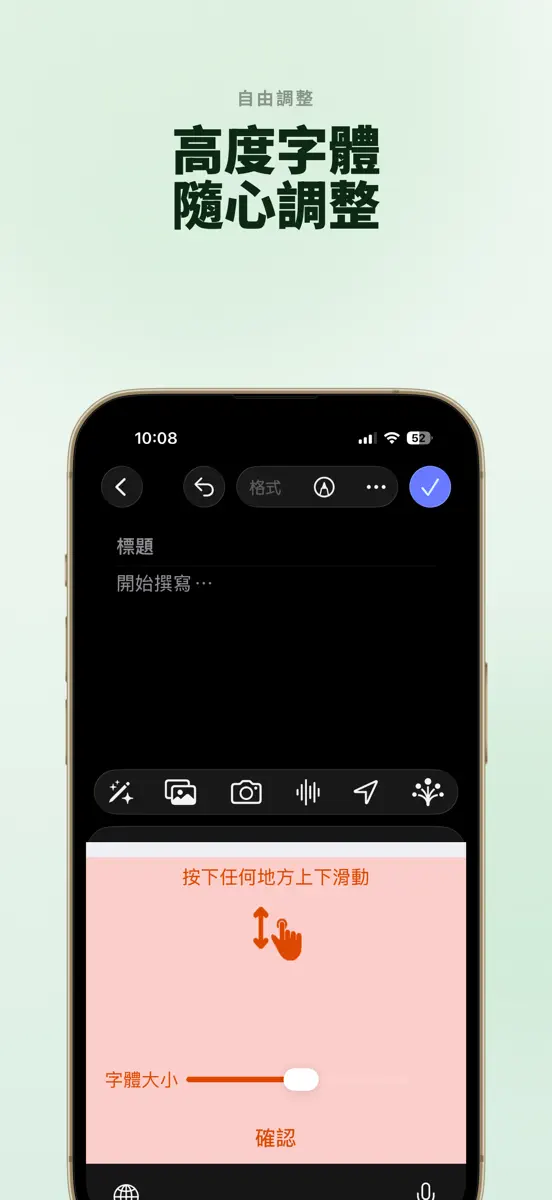
How the app presents itself on the App Store. Select a screenshot to open it full size.



Version 2.4.3 · 14 Oct 2026 · 4 days ago
Ver 2.4.3: • 修正打字時游標誤移、漏字的問題 • 修正 iPad 視窗模式下說明頁無法返回的問題
Every chart this app is in right now, best position first.
| Chart | Rank | 24 h | 7 days | Best | Days on chart |
|---|---|---|---|---|---|
Higher on the chart is better: #1 is at the top.
「超注音」是中文注音符號輸入法。「超注音」是輸入速度最快,最輕鬆,最 “沒什麼”,最隨心所欲,且 “零學習” 的注音輸入法。 介紹影片: https://youtu.be/pyY05iiNXoU 功能與特色: ● 採用 “注音縮寫” 的輸入方式,可以輸入開頭注音符號,然後加上其他任意符號,聲調符號可以作為過濾和分隔符號。 ● 語音輸入功能:支援 Apple 內建語音辨識,另可選用雲端語音辨識引擎(部分地區不提供)。 ● “智慧鄰近修正” 功能:開啟後會根據鄰近按鍵預測可能要輸入的詞彙。 ● 可以自建詞彙。 ● 刪除使用者詞彙: “長按” 使用者自建的詞彙,然後選擇「確定」。 ● 提供多種鍵盤顏色,並可自由改變鍵盤大小,字體大小,和樣式(標準全鍵或電腦鍵盤)。 ● 提供按鍵振動功能。 ● 按下候選字詞條最左邊的「地球」或「國旗」按鍵,可以切換到別家的輸入法。“長按” 逗點和句點鍵,會顯示更多的標點符號。 ● 扇形符號鍵盤選擇:按下扇子鍵,並可快速的滑向您要使用的鍵盤或其他功能。在符號鍵盤可按下圖釘鍵鎖定鍵盤。 ● 繪文字(Emoji)鍵盤。 ● “長按”…
Top of Paid · Utilities in Japan. 超注音 is #55 there. Changes are over 7 days.








| #55 |
| New entry |
| Change unknown |
| #55 |
| 1 |
Sign in to see 30 days, 90 days and all history.
Japan · Paid · Utilities: best #55, latest #55, over 16 snapshots since 12 Oct. No snapshots on 12 Oct, on 13 Oct, on 14 Oct, on 16 Oct, on 17 Oct, and on 18 Oct; the line joins the snapshots on either side.
Entries, big moves, #1s and new versions we've recorded.