

As of 10 Nov 2026, NetOps: Network Toolkit is #29 in Paid · Developer Tools in Mexico, the one tracked chart it's in. Over the last 7 days its biggest fall was 26 places, to #29 in Paid · Developer Tools in Mexico. Its best rank in the last 7 days was #4 in Paid · Developer Tools in Mexico. Appulse Index first saw NetOps: Network Toolkit in a tracked chart on 27 Oct 2026. Since then it has charted on 11 days in 2 countries, with a best rank of #3 in Paid · Developer Tools in Mexico on 3 Nov 2026.
Current rank
#29Mexico · Paid · Developer Tools
- Was
- #37 days ago
- Change
- Down 26 placesover 7 days
- Best
- #4in 7 days
- Longest chart run
- 8 daysMexico · Paid · Developer Tools
- New ratings, 7 days
- —Needs a week of rating history
Chart record
Every tracked chart, country and day since Appulse Index first saw this app in a chart.
What's new
Version 1.0.3 · 4 days ago
Ping, Traceroute and MTR now say plainly that they measure with TCP connects, because iOS does not let apps send ICMP. SSL Check reports iOS's own trust verdict and whether the certificate covers the host name, and labels each certificate as leaf, intermediate or root. Dig shows NXDOMAIN, SERVFAIL and truncated answers, reads long TXT sets in full, prints the whole SOA record and writes IPv6 addresses in short form. Ping, Port Scan and Traceroute accept host names, and Port Scan tries IPv4 first and reports hosts it cannot reach instead of marking every port closed. Every tool now saves its run to History, which you can search, open, share and trim with the retention setting.
Ranking events
- Entered the Paid · Developer Tools chart at #26United States
- New version 1.0.3 (was 1.0.2)
- Entered the Grossing · Developer Tools chart at #19Mexico
- Entered the Paid · Developer Tools chart at #3Mexico
- Entered the Paid · Developer Tools chart at #29United States
About
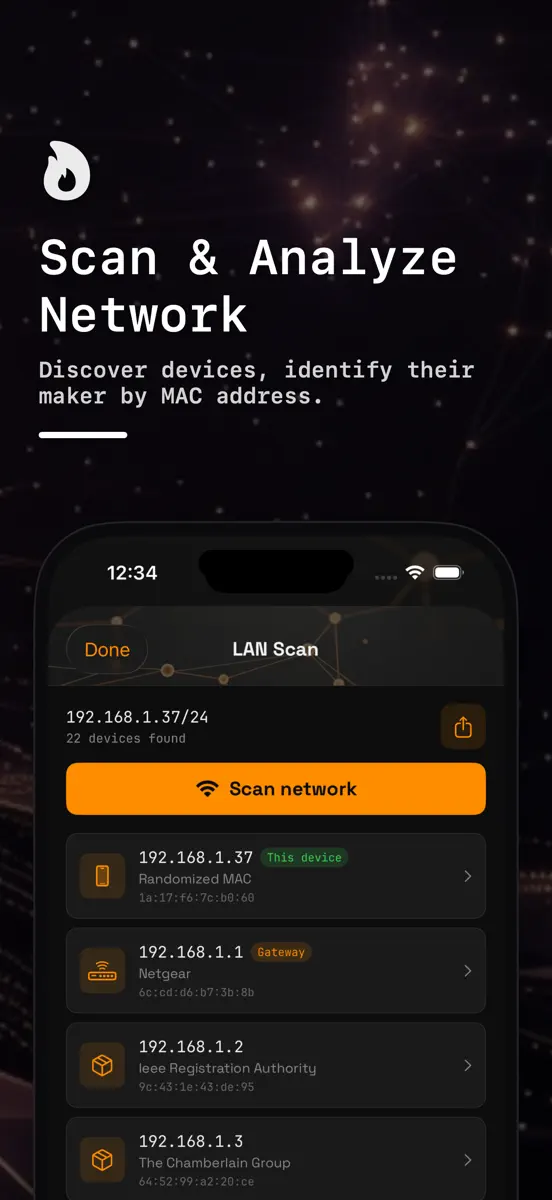
Twelve network tools in one app for sysadmins and developers. NetOps finds the devices on your Wi-Fi, maps a managed switch over SNMP, checks TLS certificates and DNS, and probes hosts and ports, on iPhone and iPad. LOCAL NETWORK • LAN Scan — Sweeps your Wi-Fi subnet (up to 1,024 addresses), then reads the iOS ARP table to list each device's IP and MAC address, with the maker looked up from the MAC's OUI. Devices using a private (randomized) Wi-Fi address are marked as such. Export as CSV or…
Ranks come from Apple's public App Store charts, checked once a day. Appulse Index isn't affiliated with Apple.
Rank history
Higher on the chart is better: #1 is at the top.
Sign in to see 30 days, 90 days and all history.
Mexico · Paid · Developer Tools: best #4, latest #29, over 7 snapshots since 4 Nov.
In 1 chart now
| Chart | Rank | 24 h | 7 days | Best | Days on chart |
|---|---|---|---|---|---|
| Mexico· Paid · Developer Tools · best #3 · 8 days · 7 days Down 26 places | #29 | Down 3 places | Down 26 places | #3 | 8 |
Competitors
Compare with the top 3Full chartTop of Paid · Developer Tools in Mexico. NetOps: Network Toolkit is #29 there. Changes are over 7 days.
- #1 (number one)Not enough history yet
 gterm: Ghostty SSHShanghai Tangzixiang Information Technology Co., Ltd
- #2Down 1 place
 ResolutionerSun Apps, LLC
- #3Up 1 place
 LadderTouchMotonari Hibi
- #4Up 1 place
 ESP32 BLE TerminalGopi Gadhiya
- #5Up 1 place
 Smart NFCAlec O'Connor
- #6Up 2 places
 Inspect BrowserParallax Dynamics Inc.
- #7No change
 Code Appthebaselab Ltd
- #8Up 3 places
 Echo - SSH + Mosh ClientReplay Software Limited
- #9Up 3 places
 SQLed - SQL Database ManagerAndreas Zimnas
- #10Up 3 places
 Continuous .NET C# and F# IDEKrueger Systems, Inc.
- #11Down 2 places
 Termix Pro: SSH & SFTP ClientSimon Zvara
- #12Up 2 places
 Cookie Editor For SafariZamalabs Yazılım ve Bilgi Teknolojileri Limited Şirketi
- #13Up 2 places
 MongoLime - manage databasesMobibean, LLC
- #14Up 3 places
- #15Down 5 places
 WorkflowHubErik Manuel Taveras Tavarez
- #16Up 2 places
 iHTTP Tracker -Network monitorPhoenix Lab Technology Co., Ltd.
- #17Up 2 places
 OpenTermCHENGDU MIAOZHI TECHNOLOGY CO., LTD.
- #18Up 3 places
 ScarletSteven Troughton-Smith
- #19Up 3 places
 iCardVerify - Card ValidatorAdel Abdelmaseih
- #20Up 3 places


Screenshots





As of 10 Nov 2026, NetOps: Network Toolkit is #29 in Paid · Developer Tools in Mexico, the one tracked chart it's in. Over the last 7 days its biggest fall was 26 places, to #29 in Paid · Developer Tools in Mexico. Its best rank in the last 7 days was #4 in Paid · Developer Tools in Mexico. Appulse Index first saw NetOps: Network Toolkit in a tracked chart on 27 Oct 2026. Since then it has charted on 11 days in 2 countries, with a best rank of #3 in Paid · Developer Tools in Mexico on 3 Nov 2026.
Store listing
How the app presents itself on the App Store. Select a screenshot to open it full size.
App facts
What Apple publishes about this app. Ratings are from one country's App Store.
- Price
- MX$99.00
- Released
- 2 Mar 2026
- Last update
- Version 1.0.3
- Requires
- iOS 17.0or later
- Size
- 8.2 MB
- Languages
- 1
Chart record
Every tracked chart, country and day since Appulse Index first saw this app in a chart.
Rank history
Higher on the chart is better: #1 is at the top.
Sign in to see 30 days, 90 days and all history.
Mexico · Paid · Developer Tools: best #4, latest #29, over 7 snapshots since 4 Nov.
Current rankings
Every chart this app is in right now, best position first.
| Chart | Rank | 24 h | 7 days | Best | Days on chart |
|---|---|---|---|---|---|
| Mexico· Paid · Developer Tools · best #3 · 8 days · 7 days Down 26 places | #29 | Down 3 places | Down 26 places | #3 | 8 |
Ranking events
Entries, big moves, #1s and new versions we've recorded, by day.
- Entered the Paid · Developer Tools chart at #26United States
- New version 1.0.3 (was 1.0.2)
- Entered the Grossing · Developer Tools chart at #19Mexico
- Entered the Paid · Developer Tools chart at #3Mexico
- Entered the Paid · Developer Tools chart at #29United States
Competitors
Compare with the top 3Full chartTop of Paid · Developer Tools in Mexico. NetOps: Network Toolkit is #29 there. Changes are over 7 days.
- #1 (number one)Not enough history yetgterm: Ghostty SSHShanghai Tangzixiang Information Technology Co., Ltd
- #2Down 1 placeResolutionerSun Apps, LLC
- #3Up 1 placeLadderTouchMotonari Hibi
- #4Up 1 placeESP32 BLE TerminalGopi Gadhiya
- #5Up 1 placeSmart NFCAlec O'Connor
- #6Up 2 placesInspect BrowserParallax Dynamics Inc.
- #7No changeCode Appthebaselab Ltd
- #8Up 3 placesEcho - SSH + Mosh ClientReplay Software Limited
- #9Up 3 placesSQLed - SQL Database ManagerAndreas Zimnas
- #10Up 3 placesContinuous .NET C# and F# IDEKrueger Systems, Inc.
- #11Down 2 placesTermix Pro: SSH & SFTP ClientSimon Zvara
- #12Up 2 placesCookie Editor For SafariZamalabs Yazılım ve Bilgi Teknolojileri Limited Şirketi
- #13Up 2 placesMongoLime - manage databasesMobibean, LLC
- #14Up 3 places
- #15Down 5 placesWorkflowHubErik Manuel Taveras Tavarez
- #16Up 2 placesiHTTP Tracker -Network monitorPhoenix Lab Technology Co., Ltd.
- #17Up 2 placesOpenTermCHENGDU MIAOZHI TECHNOLOGY CO., LTD.
- #18Up 3 placesScarletSteven Troughton-Smith
- #19Up 3 placesiCardVerify - Card ValidatorAdel Abdelmaseih
- #20Up 3 places
- #29Down 26 places
 NetOps: Network ToolkitThis app
About
From the app's App Store listing.
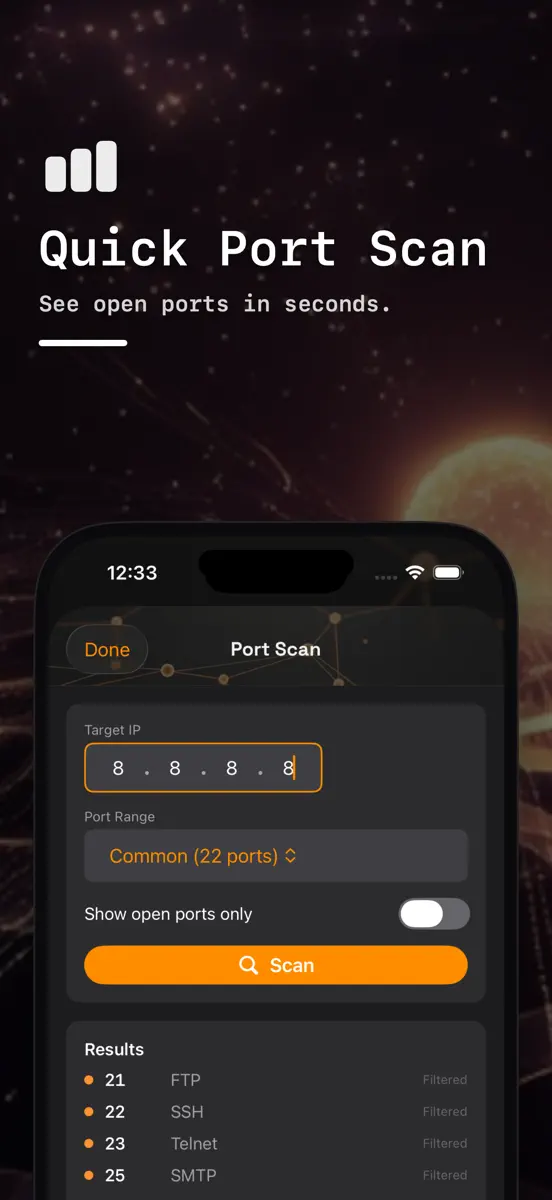
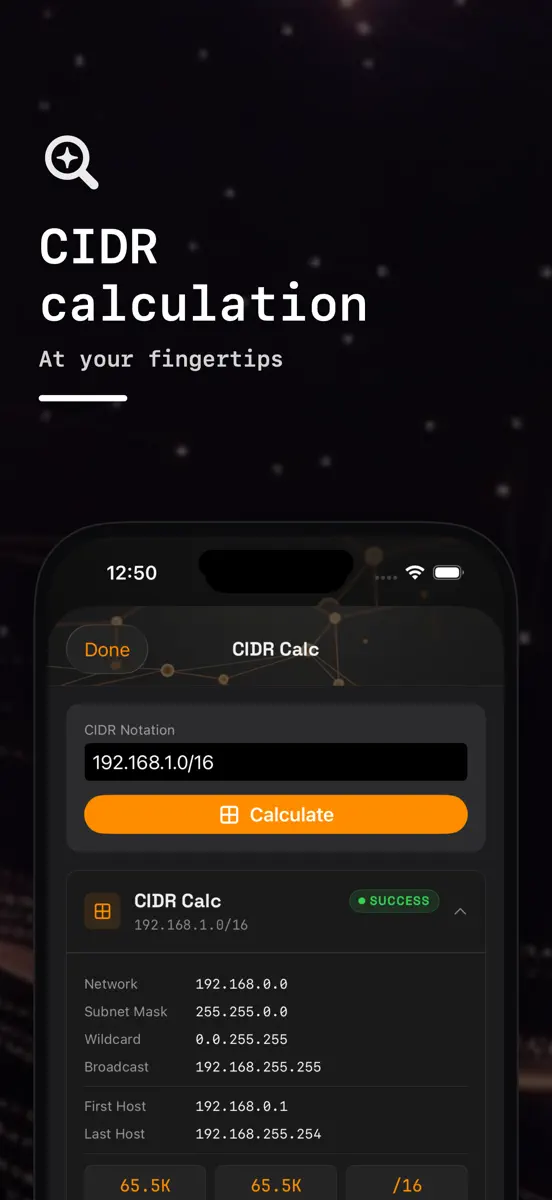
Twelve network tools in one app for sysadmins and developers. NetOps finds the devices on your Wi-Fi, maps a managed switch over SNMP, checks TLS certificates and DNS, and probes hosts and ports, on iPhone and iPad.
LOCAL NETWORK
- LAN Scan — Sweeps your Wi-Fi subnet (up to 1,024 addresses), then reads the iOS ARP table to list each device's IP and MAC address, with the maker looked up from the MAC's OUI. Devices using a private (randomized) Wi-Fi address are marked as such. Export as CSV or…
What's new
Version 1.0.3 · 6 Nov 2026 ·
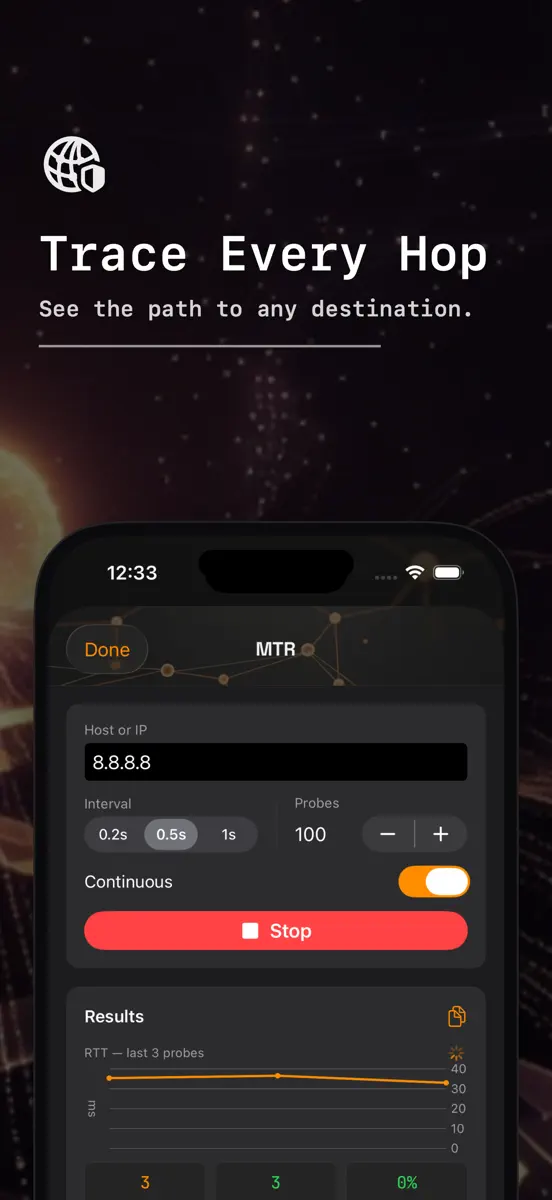
Ping, Traceroute and MTR now say plainly that they measure with TCP connects, because iOS does not let apps send ICMP. SSL Check reports iOS's own trust verdict and whether the certificate covers the host name, and labels each certificate as leaf, intermediate or root. Dig shows NXDOMAIN, SERVFAIL and truncated answers, reads long TXT sets in full, prints the whole SOA record and writes IPv6 addresses in short form. Ping, Port Scan and Traceroute accept host names, and Port Scan tries IPv4 first and reports hosts it cannot reach instead of marking every port closed. Every tool now saves its run to History, which you can search, open, share and trim with the retention setting.
Ranks come from Apple's public App Store charts, checked once a day. Appulse Index isn't affiliated with Apple.