

SSH Client - Secure ShellFish
Anders Borum
As of 10 Nov 2026, SSH Client - Secure ShellFish is #9 in Grossing · Developer Tools in the United Kingdom, its best of 11 chart positions across 11 countries. Over the last 7 days its biggest climb was 58 places, to #16 in Grossing · Developer Tools in Mexico. Its best rank in the last 7 days was #7 in Grossing · Developer Tools in Japan. Appulse Index first saw SSH Client - Secure ShellFish in a tracked chart on 8 Oct 2026. Since then it has charted on 34 days in 11 countries, with a best rank of #5 in Grossing · Developer Tools in Germany on 12 Oct 2026.
Current rank
#9United Kingdom · Grossing · Developer Tools
- Was
- #407 days ago
- Change
- Up 31 placesover 7 days
- Best
- #9in 7 days
- Longest chart run
- 34 daysUnited Kingdom · Grossing · Developer Tools
- New ratings, 7 days
- +1Spain · since 31 Oct 2026
Chart record
Every tracked chart, country and day since Appulse Index first saw this app in a chart.
What's new
Version 2026.34 · 10 days ago
This version introduces Mosh as an experimental feature. Choose Mosh under Persistence when editing a server to try it. Mosh is designed to keep the terminal connected as you move between Wi-Fi and cellular, through network dropouts and while your iPhone or iPad sleeps, and to show what you type right away on a slow connection. The server needs mosh-server and must accept UDP on ports 60000 to 61000, and ShellFish shows how to install mosh-server if it is missing. If Mosh gives you trouble, switch Persistence back to None or tmux, and feedback on what went wrong is very welcome. Images sent with the kitty graphics protocol now show in the terminal, from tools like kitten icat and yazi and from Claude Code mods that draw images. Run Install from Shell Integration on the server so Claude Code knows it can draw them. Images do not come through tmux or Mosh. Creating a security key such as a YubiKey, or signing in with one, now works on iOS 27. Fixes a new terminal sometimes being only a few rows tall when the keyboard bar is set to Always. Includes improvements from last version: ShellFish now supports iPhone Duo. On the wide inner display the terminal toolbar moves to a vertical strip beside the terminal with your tabs, the session picker and the server icon, and the keyboard bar spreads its keys across the wider keyboard. Partly folded like a laptop, the terminal takes the top half and is ready for typing. Suggest Command turns a plain-language description such as "make a compressed archive of src without the log files" into a shell command, using Apple's Private Cloud Compute model. Long-press the paste button on the keyboard bar or press Cmd-I. The model reads the manual pages on the server you are connected to, so it suggests options that exist there, and the command is only inserted at the prompt when you choose Insert. Requires the latest version of iOS with Apple Intelligence enabled. Shortcuts actions no longer have to finish within a few seconds. On the latest version of iOS an upload, a download or the listing of a large folder keeps running in the background for as long as it needs, showing how far it has come and offering a stop button if you want to end it early. A new Control Cloud Server action creates, starts, stops, checks and destroys cloud servers. You pick the region, the plan and the system image the same way you do in the app, and a server that takes minutes to come up reports what it is doing while you wait. The server it gives you back drops straight into the next action, even before you have saved it as a server of your own. A new Run Command action then runs a command on that server, or on any saved server, without opening the app. Output appears line by line while the command works and the full output is handed back to the rest of your shortcut, so a single shortcut can bring up a server, run a build or a backup on it that takes minutes, and shut it down again.
Ranking events
- Climbed #71 → #9 in Grossing · Developer ToolsMexico
- Climbed #37 → #12 in Grossing · Developer ToolsAustralia
- Entered the Free · Developer Tools chart at #83Canada
- Climbed #57 → #12 in Grossing · Developer ToolsBrazil
- Entered the Free · Developer Tools chart at #94Germany
- Entered the Free · Developer Tools chart at #67Australia
Show 24 earlier events
- Climbed #57 → #13 in Grossing · Developer ToolsUnited Kingdom
- Entered the Free · Developer Tools chart at #96United States
- Climbed #66 → #7 in Grossing · Developer ToolsJapan
- Entered the Free · Developer Tools chart at #86United Kingdom
- Entered the Free · Developer Tools chart at #69Japan
- Climbed #45 → #12 in Grossing · Developer ToolsAustralia
- Entered the Free · Developer Tools chart at #72Canada
- Dropped #59 → #85 in Free · Developer ToolsGermany
- Entered the Free · Developer Tools chart at #84United Kingdom
- Entered the Free · Developer Tools chart at #77Spain
- Climbed #56 → #31 in Grossing · Developer ToolsAustralia
- Entered the Free · Developer Tools chart at #89Australia
- Entered the Free · Developer Tools chart at #100Mexico
- Climbed #66 → #12 in Grossing · Developer ToolsBrazil
- Climbed #33 → #7 in Grossing · Developer ToolsFrance
- Entered the Free · Developer Tools chart at #72Germany
- Climbed #69 → #10 in Grossing · Developer ToolsCanada
- Entered the Free · Developer Tools chart at #99Canada
- Dropped #28 → #55 in Grossing · Developer ToolsUnited Kingdom
- New version 2026.34 (was 2026.33)
- Entered the Free · Developer Tools chart at #58Mexico
- Entered the Free · Developer Tools chart at #86India
- Climbed #56 → #28 in Grossing · Developer ToolsFrance
- Entered the Free · Developer Tools chart at #87Canada
About
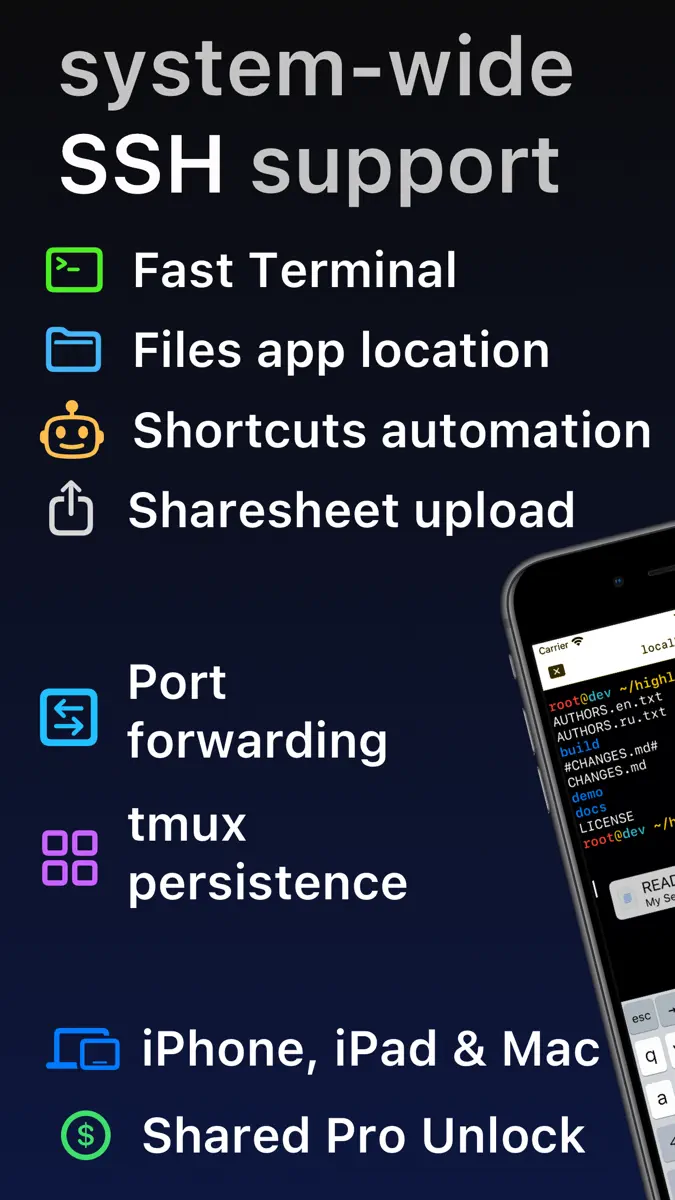
Lightning fast SSH terminal with remote file access. No other app fuses your SSH servers and iOS devices as well as Secure ShellFish. Tap Get and see for yourself. Terminal supports standard text editing gestures for selection, scrolling and copy/paste as well as custom gestures to send arrow keys and tabulator making shell entry and full screen editing with vim or emacs delightful. Bar above the keyboard makes it easy to type special keys and insert snippets. Select and drag filenames out of
Ranks come from Apple's public App Store charts, checked once a day. Appulse Index isn't affiliated with Apple.
Rank history
Higher on the chart is better: #1 is at the top.
Sign in to see 30 days, 90 days and all history.
United Kingdom · Grossing · Developer Tools: best #9, latest #9, over 7 snapshots since 4 Nov.
In 11 charts now
| Chart | Rank | 24 h | 7 days | Best | Days on chart |
|---|---|---|---|---|---|
| United Kingdom· Grossing · Developer Tools · best #8 · 34 days · 7 days Up 31 places | #9 | No change | Up 31 places | #8 | 34 |
| United States· Grossing · Developer Tools · best #7 · 34 days · 7 days Up 24 places | #11 | Down 2 places | Up 24 places | #7 | 34 |
| Mexico· Grossing · Developer Tools · best #9 · 34 days · 7 days Up 58 places | #16 | Down 7 places | Up 58 places | #9 | 34 |
| Germany· Grossing · Developer Tools · best #5 · 34 days · 7 days Up 6 places | #19 | Down 6 places | Up 6 places | #5 | 34 |
| Australia· Grossing · Developer Tools · best #6 · 34 days · 7 days Up 36 places | #20 | Down 8 places | Up 36 places | #6 | 34 |
| Japan· Grossing · Developer Tools · best #7 · 33 days · 7 days Up 7 places | #22 | Down 11 places | Up 7 places | #7 | 33 |
| Brazil· Grossing · Developer Tools · best #12 · 34 days · 7 days Down 18 places | #30 | Down 14 places | Down 18 places | #12 | 34 |
| France· Grossing · Developer Tools · best #7 · 34 days · 7 days Down 24 places | #31 | Up 2 places | Down 24 places | #7 | 34 |
| Spain· Grossing · Developer Tools · best #12 · 26 days · 7 days Up 1 place | #49 | Up 6 places | Up 1 place | #12 | 26 |
| India· Grossing · Developer Tools · best #5 · 34 days · 7 days Down 2 places | #65 | Up 1 place | Down 2 places | #5 | 34 |
| Canada· Grossing · Developer Tools · best #8 · 34 days · 7 days Down 45 places | #66 | Down 11 places | Down 45 places | #8 | 34 |
Competitors
Compare with the top 3Full chartTop of Grossing · Developer Tools in United Kingdom. SSH Client - Secure ShellFish is #9 there. Changes are over 7 days.
- #1 (number one)No change
- #2No change
 GitHubGitHub
- #3No change
 CursorX Corp.
- #4No change
 Termius - Modern SSH ClientTermius Corporation
- #5Up 1 place
 Boya OSShenzhen Perfect Acoustic Technology Co., LTD
- #6Up 5 places
 Moshi: herdr/tmux on SSH/MOSHMoshi Tech Ltd.
- #7Up 82 places
 GDevelop - Create & Play GamesGDEVELOP FRANCE
- #8Up 11 places
 Proxyman - Capture HTTPSProxyman LLC
- #10Up 4 places
 Textastic Code EditorAlexander Blach
- #11Up 6 places
 Python Editor AppAndromeda Corp LTD
- #12Up 15 places
 O-KAM ProShenzhen VeePai IoT Intelligent Technology LLC
- #13Up 19 places
 Mockup & Demo Maker: ScreenyLazare Kolebka
- #14Not enough history yet
 SSHHIP - Modern SSH ClientKun Chen
- #15Up 41 places
 NeoServer SSH Mosh TerminalSpace-Time Transformation Technology Co., Ltd.
- #16Up 71 places
 SQL Practice: Learn DatabaseMarton Greber
- #17Not enough history yet
 STL File Viewer ProAndeesh Mehdi Syed
- #18Down 13 places
 Clouder for CloudflareLayton Labs AB
- #19New entry
 TermiuxTERMUX LIMITED LIABILITY COMPANY
- #20New entry
 Python Coding婉媚 邵
- #21No change
 HTTPBot: API & HTTP ClientArvindh Sukumar

Screenshots



More from Anders Borum
| App | Best rank now | Released | App Store |
|---|---|---|---|
 Git client - Working CopyDeveloper Tools · | Grossing · Developer ToolsGermany#8 |

SSH Client - Secure ShellFish
Anders Borum
As of 10 Nov 2026, SSH Client - Secure ShellFish is #9 in Grossing · Developer Tools in the United Kingdom, its best of 11 chart positions across 11 countries. Over the last 7 days its biggest climb was 58 places, to #16 in Grossing · Developer Tools in Mexico. Its best rank in the last 7 days was #7 in Grossing · Developer Tools in Japan. Appulse Index first saw SSH Client - Secure ShellFish in a tracked chart on 8 Oct 2026. Since then it has charted on 34 days in 11 countries, with a best rank of #5 in Grossing · Developer Tools in Germany on 12 Oct 2026.
Store listing
How the app presents itself on the App Store. Select a screenshot to open it full size.
App facts
What Apple publishes about this app. Ratings are from one country's App Store.
- Price
- Free
- Rating
- 4.9 / 5 stars65 ratings Spain
- Released
- 28 Jun 2019
- Last update
- Version 2026.34
- Requires
- iOS 17.4or later
- Size
- 138.4 MB
- Languages
- 2
Chart record
Every tracked chart, country and day since Appulse Index first saw this app in a chart.
Rank history
Higher on the chart is better: #1 is at the top.
Sign in to see 30 days, 90 days and all history.
United Kingdom · Grossing · Developer Tools: best #9, latest #9, over 7 snapshots since 4 Nov.
Current rankings
Every chart this app is in right now, best position first.
| Chart | Rank | 24 h | 7 days | Best | Days on chart |
|---|---|---|---|---|---|
| United Kingdom· Grossing · Developer Tools · best #8 · 34 days · 7 days Up 31 places | #9 | No change | Up 31 places | #8 | 34 |
| United States· Grossing · Developer Tools · best #7 · 34 days · 7 days Up 24 places | #11 | Down 2 places | Up 24 places | #7 | 34 |
| Mexico· Grossing · Developer Tools · best #9 · 34 days · 7 days Up 58 places | #16 | Down 7 places | Up 58 places | #9 | 34 |
| Germany· Grossing · Developer Tools · best #5 · 34 days · 7 days Up 6 places | #19 | Down 6 places | Up 6 places | #5 | 34 |
| Australia· Grossing · Developer Tools · best #6 · 34 days · 7 days Up 36 places | #20 | Down 8 places | Up 36 places | #6 | 34 |
| Japan· Grossing · Developer Tools · best #7 · 33 days · 7 days Up 7 places | #22 | Down 11 places | Up 7 places | #7 | 33 |
| Brazil· Grossing · Developer Tools · best #12 · 34 days · 7 days Down 18 places | #30 | Down 14 places | Down 18 places | #12 | 34 |
| France· Grossing · Developer Tools · best #7 · 34 days · 7 days Down 24 places | #31 | Up 2 places | Down 24 places | #7 | 34 |
| Spain· Grossing · Developer Tools · best #12 · 26 days · 7 days Up 1 place | #49 | Up 6 places | Up 1 place | #12 | 26 |
| India· Grossing · Developer Tools · best #5 · 34 days · 7 days Down 2 places | #65 | Up 1 place | Down 2 places | #5 | 34 |
| Canada· Grossing · Developer Tools · best #8 · 34 days · 7 days Down 45 places | #66 | Down 11 places | Down 45 places | #8 | 34 |
Ranking events
Entries, big moves, #1s and new versions we've recorded, by day.
- Climbed #71 → #9 in Grossing · Developer ToolsMexico
- Climbed #37 → #12 in Grossing · Developer ToolsAustralia
- Entered the Free · Developer Tools chart at #83Canada
- Climbed #57 → #12 in Grossing · Developer ToolsBrazil
- Entered the Free · Developer Tools chart at #94Germany
- Entered the Free · Developer Tools chart at #67Australia
- Climbed #57 → #13 in Grossing · Developer ToolsUnited Kingdom
- Entered the Free · Developer Tools chart at #96United States
- Climbed #66 → #7 in Grossing · Developer ToolsJapan
- Entered the Free · Developer Tools chart at #86United Kingdom
- Entered the Free · Developer Tools chart at #69Japan
- Climbed #45 → #12 in Grossing · Developer ToolsAustralia
- Entered the Free · Developer Tools chart at #72Canada
- Dropped #59 → #85 in Free · Developer ToolsGermany
- Entered the Free · Developer Tools chart at #84United Kingdom
- Entered the Free · Developer Tools chart at #77Spain
- Climbed #56 → #31 in Grossing · Developer ToolsAustralia
- Entered the Free · Developer Tools chart at #89Australia
- Entered the Free · Developer Tools chart at #100Mexico
- Climbed #66 → #12 in Grossing · Developer ToolsBrazil
- Climbed #33 → #7 in Grossing · Developer ToolsFrance
- Entered the Free · Developer Tools chart at #72Germany
- Climbed #69 → #10 in Grossing · Developer ToolsCanada
- Entered the Free · Developer Tools chart at #99Canada
- Dropped #28 → #55 in Grossing · Developer ToolsUnited Kingdom
- New version 2026.34 (was 2026.33)
- Entered the Free · Developer Tools chart at #58Mexico
- Entered the Free · Developer Tools chart at #86India
- Climbed #56 → #28 in Grossing · Developer ToolsFrance
- Entered the Free · Developer Tools chart at #87Canada
Competitors
Compare with the top 3Full chartTop of Grossing · Developer Tools in United Kingdom. SSH Client - Secure ShellFish is #9 there. Changes are over 7 days.
- #1 (number one)No change
- #2No changeGitHubGitHub
- #3No changeCursorX Corp.
- #4No changeTermius - Modern SSH ClientTermius Corporation
- #5Up 1 placeBoya OSShenzhen Perfect Acoustic Technology Co., LTD
- #6Up 5 placesMoshi: herdr/tmux on SSH/MOSHMoshi Tech Ltd.
- #7Up 82 placesGDevelop - Create & Play GamesGDEVELOP FRANCE
- #8Up 11 placesProxyman - Capture HTTPSProxyman LLC
- #9Up 31 places
 SSH Client - Secure ShellFishThis app
- #10Up 4 placesTextastic Code EditorAlexander Blach
- #11Up 6 placesPython Editor AppAndromeda Corp LTD
- #12Up 15 placesO-KAM ProShenzhen VeePai IoT Intelligent Technology LLC
- #13Up 19 placesMockup & Demo Maker: ScreenyLazare Kolebka
- #14Not enough history yetSSHHIP - Modern SSH ClientKun Chen
- #15Up 41 placesNeoServer SSH Mosh TerminalSpace-Time Transformation Technology Co., Ltd.
- #16Up 71 placesSQL Practice: Learn DatabaseMarton Greber
- #17Not enough history yetSTL File Viewer ProAndeesh Mehdi Syed
- #18Down 13 placesClouder for CloudflareLayton Labs AB
- #19New entryTermiuxTERMUX LIMITED LIABILITY COMPANY
- #20New entryPython Coding婉媚 邵
- #21No changeHTTPBot: API & HTTP ClientArvindh Sukumar
About
From the app's App Store listing.
Lightning fast SSH terminal with remote file access. No other app fuses your SSH servers and iOS devices as well as Secure ShellFish. Tap Get and see for yourself.
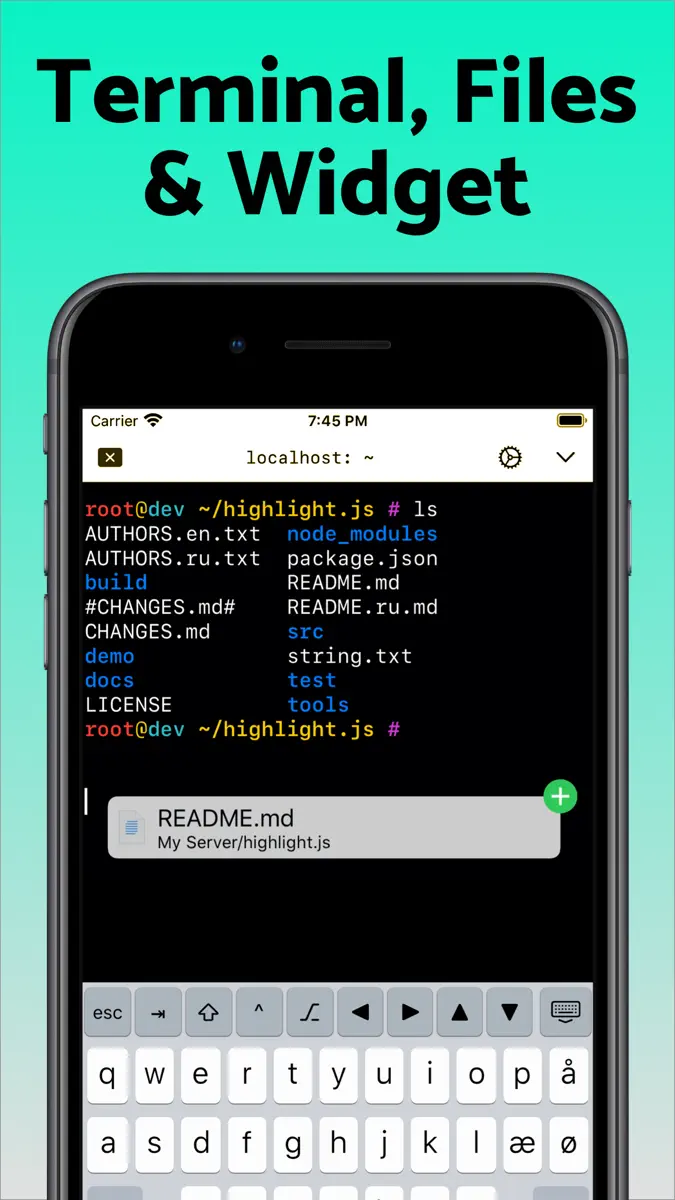
Terminal supports standard text editing gestures for selection, scrolling and copy/paste as well as custom gestures to send arrow keys and tabulator making shell entry and full screen editing with vim or emacs delightful. Bar above the keyboard makes it easy to type special keys and insert snippets.
Select and drag filenames out of
What's new
Version 2026.34 · 31 Oct 2026 ·
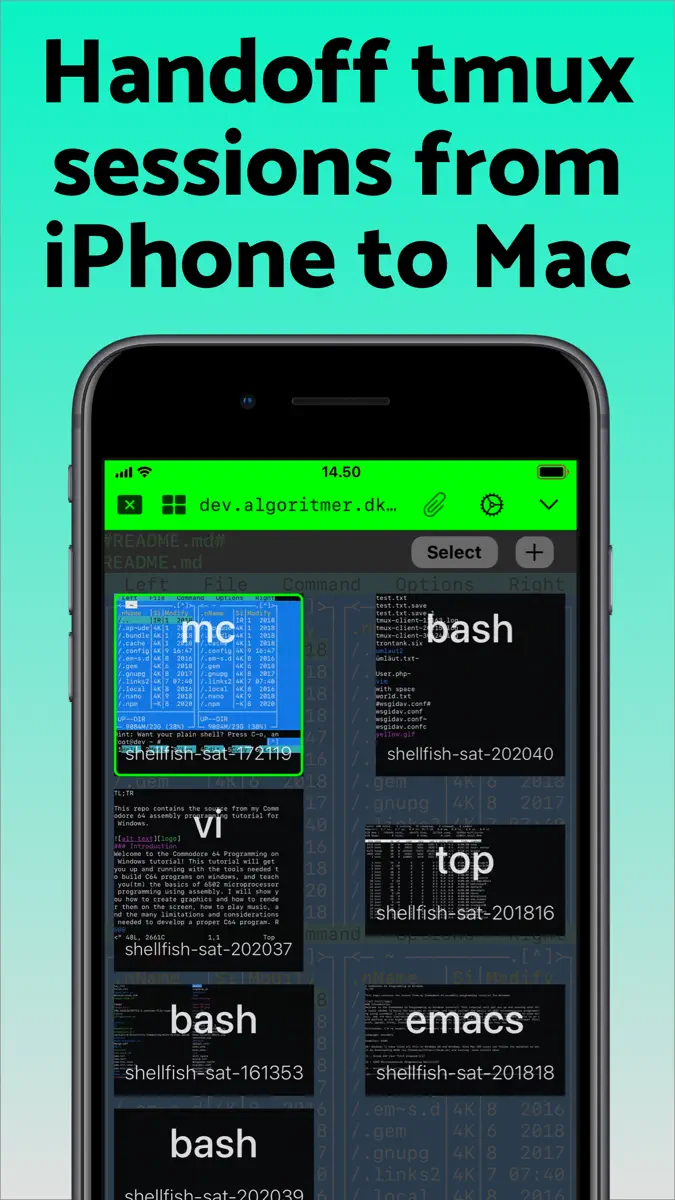
This version introduces Mosh as an experimental feature. Choose Mosh under Persistence when editing a server to try it. Mosh is designed to keep the terminal connected as you move between Wi-Fi and cellular, through network dropouts and while your iPhone or iPad sleeps, and to show what you type right away on a slow connection. The server needs mosh-server and must accept UDP on ports 60000 to 61000, and ShellFish shows how to install mosh-server if it is missing. If Mosh gives you trouble, switch Persistence back to None or tmux, and feedback on what went wrong is very welcome.
Images sent with the kitty graphics protocol now show in the terminal, from tools like kitten icat and yazi and from Claude Code mods that draw images. Run Install from Shell Integration on the server so Claude Code knows it can draw them. Images do not come through tmux or Mosh.
Creating a security key such as a YubiKey, or signing in with one, now works on iOS 27.
Fixes a new terminal sometimes being only a few rows tall when the keyboard bar is set to Always.
Includes improvements from last version:
ShellFish now supports iPhone Duo. On the wide inner display the terminal toolbar moves to a vertical strip beside the terminal with your tabs, the session picker and the server icon, and the keyboard bar spreads its keys across the wider keyboard. Partly folded like a laptop, the terminal takes the top half and is ready for typing.
Suggest Command turns a plain-language description such as "make a compressed archive of src without the log files" into a shell command, using Apple's Private Cloud Compute model. Long-press the paste button on the keyboard bar or press Cmd-I. The model reads the manual pages on the server you are connected to, so it suggests options that exist there, and the command is only inserted at the prompt when you choose Insert. Requires the latest version of iOS with Apple Intelligence enabled.
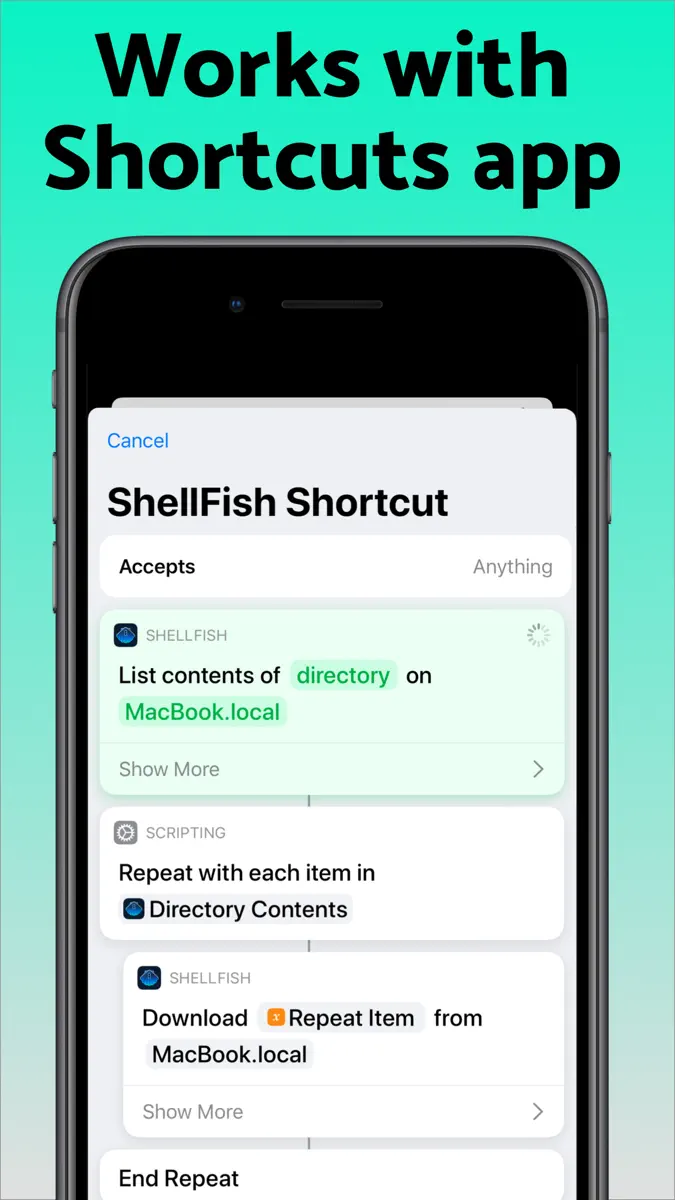
Shortcuts actions no longer have to finish within a few seconds. On the latest version of iOS an upload, a download or the listing of a large folder keeps running in the background for as long as it needs, showing how far it has come and offering a stop button if you want to end it early.
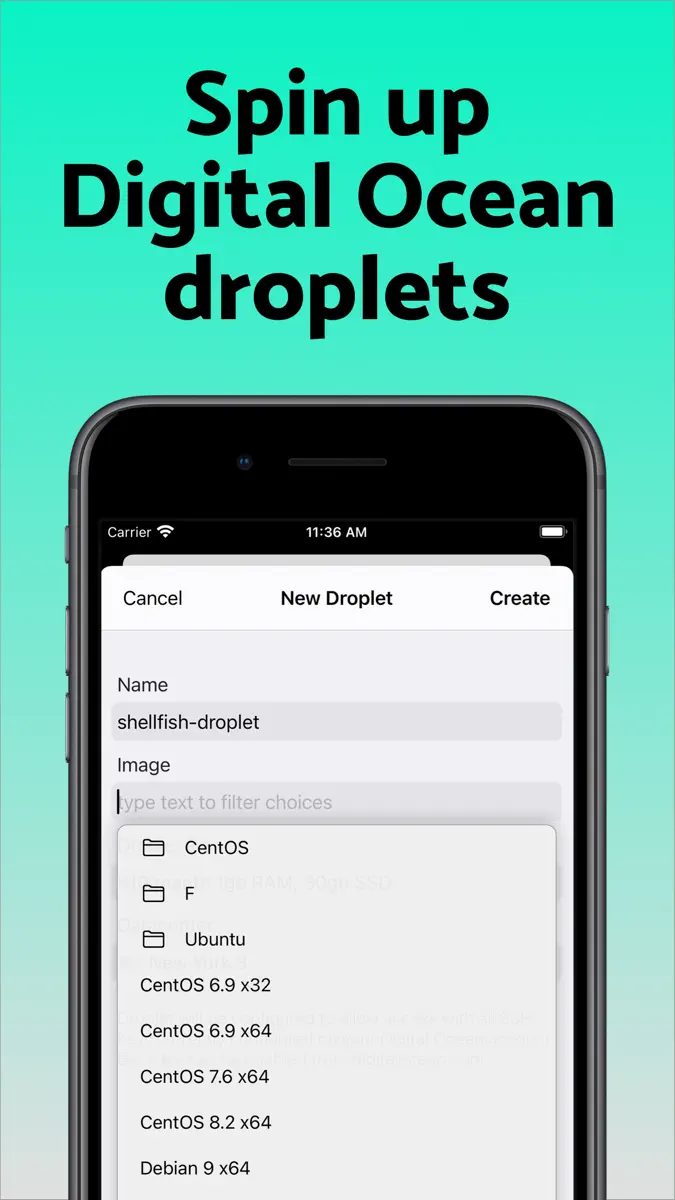
A new Control Cloud Server action creates, starts, stops, checks and destroys cloud servers. You pick the region, the plan and the system image the same way you do in the app, and a server that takes minutes to come up reports what it is doing while you wait. The server it gives you back drops straight into the next action, even before you have saved it as a server of your own.
A new Run Command action then runs a command on that server, or on any saved server, without opening the app. Output appears line by line while the command works and the full output is handed back to the rest of your shortcut, so a single shortcut can bring up a server, run a build or a backup on it that takes minutes, and shut it down again.
More from Anders Borum
Their other apps that Appulse has seen in the charts, charting ones first.
| App | Best rank now | Released | App Store |
|---|---|---|---|
Git client - Working CopyDeveloper Tools · | Grossing · Developer ToolsGermany#8 |
Ranks come from Apple's public App Store charts, checked once a day. Appulse Index isn't affiliated with Apple.