

As of 10 Nov 2026, CoreSpend: Budget Tracker is #20 in Paid · Finance in the United States, the one tracked chart it's in. Its best rank in the last 7 days was #14 in Paid · Finance in Australia. Appulse Index first saw CoreSpend: Budget Tracker in a tracked chart on 31 Oct 2026. Since then it has charted on 9 days in 2 countries, with a best rank of #8 in Paid · Finance in Australia on 2 Nov 2026.
Current rank
#20United States · Paid · Finance
- Was
- —7 days ago
- Change
- Not enough history yetover 7 days
- Best
- #16in 7 days
- Longest chart run
- 7 daysUnited States · Paid · Finance
- New ratings, 7 days
- 0United States · since 31 Oct 2026
Chart record
Every tracked chart, country and day since Appulse Index first saw this app in a chart.
What's new
Version 1.4.0 · 4 days ago
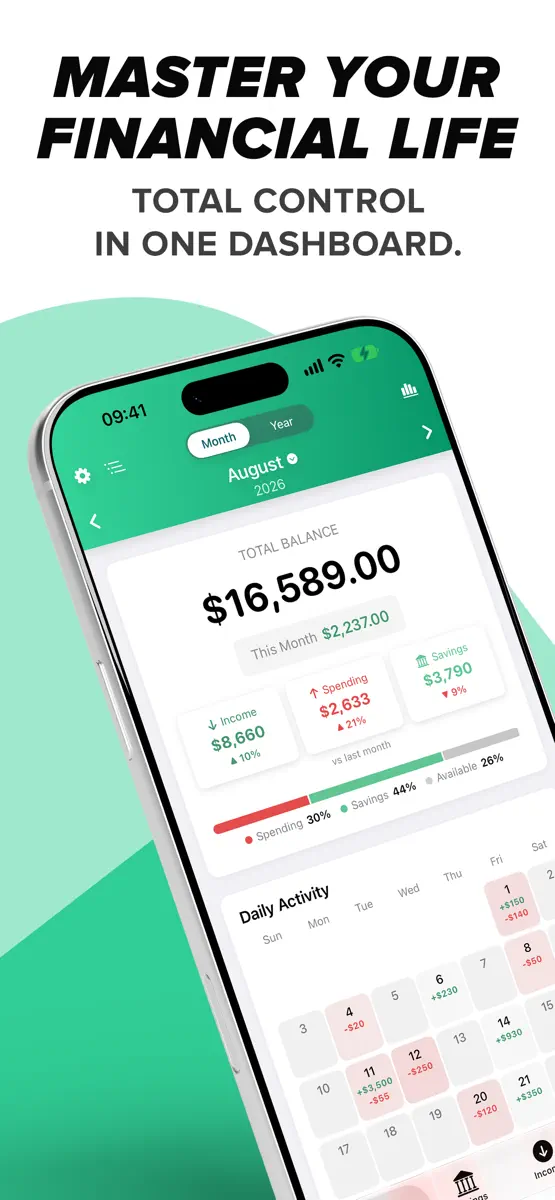
Version 1.4: The "Everywhere" Update. CoreSpend now runs on your iPhone, iPad and Mac, and keeps them all in step. NEW: iCLOUD SYNC • Your transactions, budgets, recurring payments and savings goals sync across your iPhone, iPad and Mac. Add an expense on one device and it's on the others in seconds. • Reinstall the app or get a new device: sign in with the same Apple ID and everything comes back. • Nothing changes if you don't use iCloud — the app keeps working on its own. NEW: iPAD AND MAC • iPad: wide two-column layouts, a sidebar, keyboard shortcuts and the same widgets. • Mac: a native Mac app with a sidebar, File and View menus, ⌘ shortcuts, a proper app icon and desktop widgets. IMPROVED: OVERVIEW • Income, Spending and Savings are labeled and show how they changed since last month. • A new bar shows where your income went: Spending, Savings and what's still Available. • Budget bars turn blue, amber or red as you approach a limit; over-budget categories move to the top, and the header tells you how many there are. • Each category now opens into neat boxes per day, so a day and its transactions read as one unit. • Search categories right on the Overview. IMPROVED: CALENDAR AND RECURRING PAYMENTS • Days in the calendar are tinted by how much you spent, so heavy days stand out. • Recurring payments are now added at midnight on their due day. IMPROVED: CALCULATOR • Type a calculation such as 20-12 in any amount field and save — CoreSpend stores the result. No need to press = first. IMPROVED: WIDGETS • Large widgets use their full height. Upcoming Bills lists up to seven bills for the next 30 days with the total due, Savings Goals shows active goals first, the Balance widget adds your latest transactions, and the Yearly Overview lists every month so far. • Today's Spending shows how today compares with yesterday. • Amounts are shown whole unless the cents matter, and currencies such as zł and Kč sit after the number, as in the app. • A larger balance on Quick Add Expense and Quick Add Income. Long amounts and long translations fit in every widget. IMPROVED: SAVINGS • A summary above your goals: Total Saved, Target, Left and Progress. Four cards on iPad and Mac, a compact strip on iPhone. • Savings Goals and Analytics use the same clean switch as Spending and Income. IMPROVED: INCOME AND SPENDING • Cleaner pages: a Transactions / Recurring switch, a search field with the filter button beside it, and your entries in one card. On iPad the rows have columns for Date, Name, Category and Amount. • Transactions created by a recurring payment no longer show a time. FIXED • Amounts in every card, list and chart stay on one line and scale to fit, even with long currencies. • More labels translated in all 31 languages, including theme names, Delete, Edit and General. • Faster loading with a long history. • Empty calendar days are grey boxes on iPhone and iPad, matching the Mac.
Ranking events
- Climbed #65 → #20 in Paid · FinanceUnited States
- Dropped #16 → #42 in Paid · FinanceUnited States
- Entered the Paid · Finance chart at #16United States
- New version 1.4.0 (was 1.3.2)
- Entered the Paid · Finance chart at #8Australia
- Dropped #65 → #90 in Paid · FinanceUnited States
Show 1 earlier event
- Entered the Paid · Finance chart at #50United States
About
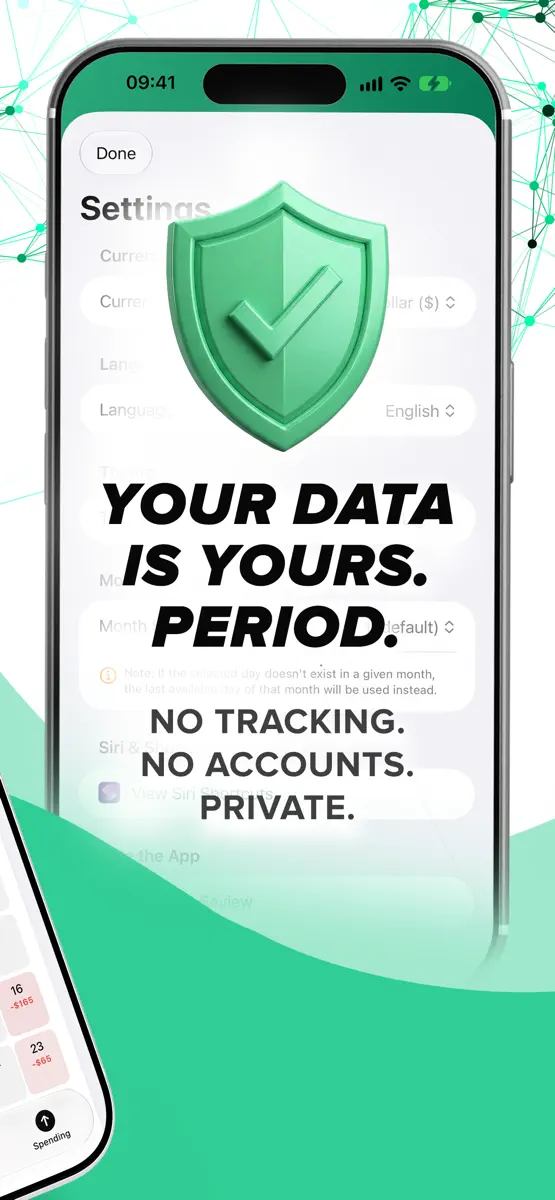
Stop guessing where your money went. Start telling it where to go. CoreSpend is the personal finance companion for people who value speed, visual clarity and absolute privacy. A clean, powerful budgeting app that puts you back in control — with no subscription. Whether you need a quick expense tracker for the daily coffee or a full financial tracker for yearly trends, CoreSpend makes it effortless, beautiful and 100% private. THE PRIVACY PROMISE Your financial data is your business, not…
Ranks come from Apple's public App Store charts, checked once a day. Appulse Index isn't affiliated with Apple.
Rank history
Higher on the chart is better: #1 is at the top.
Sign in to see 30 days, 90 days and all history.
United States · Paid · Finance: best #16, latest #20, over 7 snapshots since 4 Nov.
In 1 chart now
| Chart | Rank | 24 h | 7 days | Best | Days on chart |
|---|---|---|---|---|---|
| United States· Paid · Finance · best #16 · 7 days | #20 | Up 45 places | Not enough history yet | #16 | 7 |
Competitors
Compare with the top 3Full chartTop of Paid · Finance in United States. CoreSpend: Budget Tracker is #20 there. Changes are over 7 days.
- #1 (number one)Up 1 place
 Military RetirementLYNNFIELD LLC
- #2Up 1 place
 US Debt Clock .orgChrono Numeric Labs LLC
- #3Up 2 places
 Accounts 3 CheckbookSVT Software
- #4Up 2 places
 Money Manager (Remove Ads)Realbyte Inc.
- #5Down 1 place
 BA II Plus™ Financial CalcTexas Instruments
- #6Up 41 places
 Money Pro: Personal Finance ARiBear LLC
- #7No change
 HP 12c Financial CalculatorMORAVIA Consulting, spol. s r.o.
- #8Up 46 places
 Road Trip MPGDarren Stone
- #9Up 2 places
 My Currency Converter ProJRustonApps B.V.
- #10Up 43 places
 Cart AI: Track Grocery BudgetRoyal Labs LLC
- #11Down 10 places
 10bii Financial CalculatorK2 Cashflow, Inc.
- #12New entry
 Sinkstack: Paycheck BudgetRobert Corbin
- #13Up 1 place
 HP 12C Platinum CalculatorMORAVIA Consulting, spol. s r.o.
- #14New entry
 Accounts 2 CheckbookSVT Software
- #15New entry
 MyBondsPermusoft
- #16New entry
 Adding Machine 10Key UniversalRichard Silverman
- #17New entry
 10bII Financial Calculator PROIncpt.Mobis
- #18New entry
 EMBER: Trading IntelligenceNoBellTrading
- #19Down 7 places
 SEE Finance 3 MobileScimonoce Software LLC
- #21New entry
 Mortgage Calculator ProSVT Software
Screenshots




As of 10 Nov 2026, CoreSpend: Budget Tracker is #20 in Paid · Finance in the United States, the one tracked chart it's in. Its best rank in the last 7 days was #14 in Paid · Finance in Australia. Appulse Index first saw CoreSpend: Budget Tracker in a tracked chart on 31 Oct 2026. Since then it has charted on 9 days in 2 countries, with a best rank of #8 in Paid · Finance in Australia on 2 Nov 2026.
Store listing
How the app presents itself on the App Store. Select a screenshot to open it full size.
App facts
What Apple publishes about this app. Ratings are from one country's App Store.
- Price
- $0.99
- Rating
- 5.0 / 5 stars1 rating United States
- Released
- 23 Feb 2026
- Last update
- Version 1.4.0
- Requires
- iOS 17.6or later
- Size
- 10.2 MB
- Languages
- 31
Chart record
Every tracked chart, country and day since Appulse Index first saw this app in a chart.
Rank history
Higher on the chart is better: #1 is at the top.
Sign in to see 30 days, 90 days and all history.
United States · Paid · Finance: best #16, latest #20, over 7 snapshots since 4 Nov.
Current rankings
Every chart this app is in right now, best position first.
| Chart | Rank | 24 h | 7 days | Best | Days on chart |
|---|---|---|---|---|---|
| United States· Paid · Finance · best #16 · 7 days | #20 | Up 45 places | Not enough history yet | #16 | 7 |
Ranking events
Entries, big moves, #1s and new versions we've recorded, by day.
- Climbed #65 → #20 in Paid · FinanceUnited States
- Dropped #16 → #42 in Paid · FinanceUnited States
- Entered the Paid · Finance chart at #16United States
- New version 1.4.0 (was 1.3.2)
- Entered the Paid · Finance chart at #8Australia
- Dropped #65 → #90 in Paid · FinanceUnited States
- Entered the Paid · Finance chart at #50United States
Competitors
Compare with the top 3Full chartTop of Paid · Finance in United States. CoreSpend: Budget Tracker is #20 there. Changes are over 7 days.
- #1 (number one)Up 1 placeMilitary RetirementLYNNFIELD LLC
- #2Up 1 placeUS Debt Clock .orgChrono Numeric Labs LLC
- #3Up 2 placesAccounts 3 CheckbookSVT Software
- #4Up 2 placesMoney Manager (Remove Ads)Realbyte Inc.
- #5Down 1 placeBA II Plus™ Financial CalcTexas Instruments
- #6Up 41 placesMoney Pro: Personal Finance ARiBear LLC
- #7No changeHP 12c Financial CalculatorMORAVIA Consulting, spol. s r.o.
- #8Up 46 placesRoad Trip MPGDarren Stone
- #9Up 2 placesMy Currency Converter ProJRustonApps B.V.
- #10Up 43 placesCart AI: Track Grocery BudgetRoyal Labs LLC
- #11Down 10 places10bii Financial CalculatorK2 Cashflow, Inc.
- #12New entrySinkstack: Paycheck BudgetRobert Corbin
- #13Up 1 placeHP 12C Platinum CalculatorMORAVIA Consulting, spol. s r.o.
- #14New entryAccounts 2 CheckbookSVT Software
- #15New entryMyBondsPermusoft
- #16New entryAdding Machine 10Key UniversalRichard Silverman
- #17New entry10bII Financial Calculator PROIncpt.Mobis
- #18New entryEMBER: Trading IntelligenceNoBellTrading
- #19Down 7 placesSEE Finance 3 MobileScimonoce Software LLC
- #20Not enough history yet
 CoreSpend: Budget TrackerThis app
- #21New entryMortgage Calculator ProSVT Software
About
From the app's App Store listing.
Stop guessing where your money went. Start telling it where to go.
CoreSpend is the personal finance companion for people who value speed, visual clarity and absolute privacy. A clean, powerful budgeting app that puts you back in control — with no subscription.
Whether you need a quick expense tracker for the daily coffee or a full financial tracker for yearly trends, CoreSpend makes it effortless, beautiful and 100% private.
THE PRIVACY PROMISE Your financial data is your business, not…
What's new
Version 1.4.0 · 6 Nov 2026 ·
Version 1.4: The "Everywhere" Update. CoreSpend now runs on your iPhone, iPad and Mac, and keeps them all in step.
NEW: iCLOUD SYNC
- Your transactions, budgets, recurring payments and savings goals sync across your iPhone, iPad and Mac. Add an expense on one device and it's on the others in seconds.
- Reinstall the app or get a new device: sign in with the same Apple ID and everything comes back.
- Nothing changes if you don't use iCloud — the app keeps working on its own.
NEW: iPAD AND MAC
- iPad: wide two-column layouts, a sidebar, keyboard shortcuts and the same widgets.
- Mac: a native Mac app with a sidebar, File and View menus, ⌘ shortcuts, a proper app icon and desktop widgets.
IMPROVED: OVERVIEW
- Income, Spending and Savings are labeled and show how they changed since last month.
- A new bar shows where your income went: Spending, Savings and what's still Available.
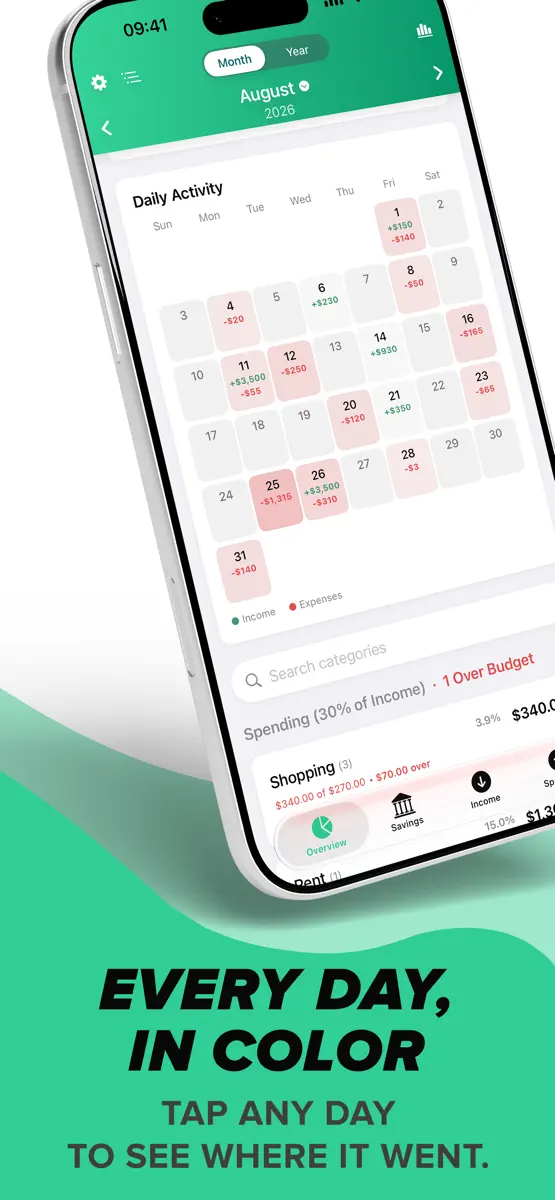
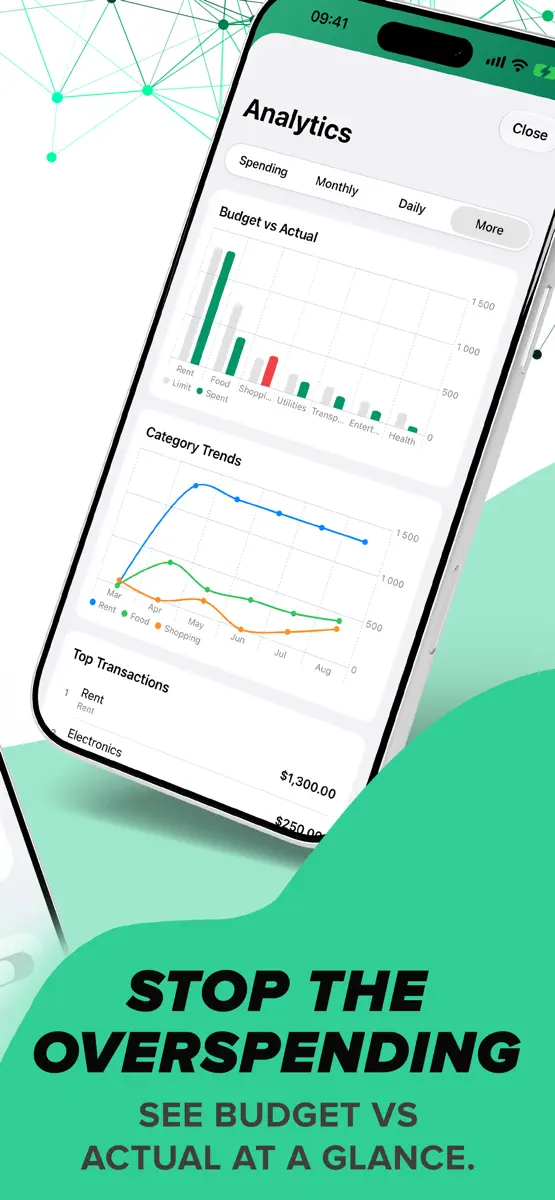
- Budget bars turn blue, amber or red as you approach a limit; over-budget categories move to the top, and the header tells you how many there are.
- Each category now opens into neat boxes per day, so a day and its transactions read as one unit.
- Search categories right on the Overview.
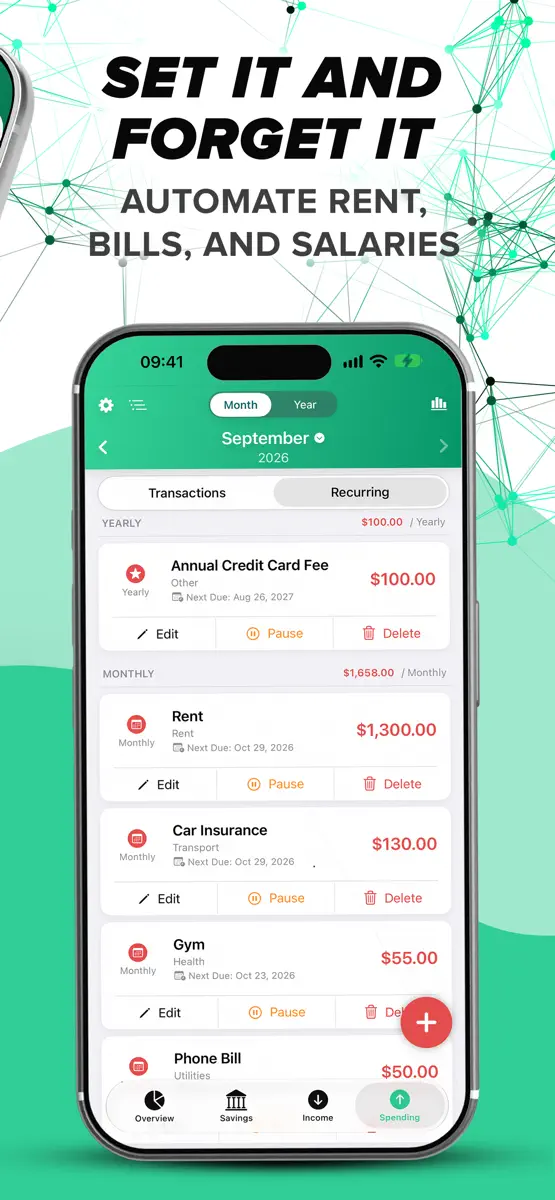
IMPROVED: CALENDAR AND RECURRING PAYMENTS
- Days in the calendar are tinted by how much you spent, so heavy days stand out.
- Recurring payments are now added at midnight on their due day.
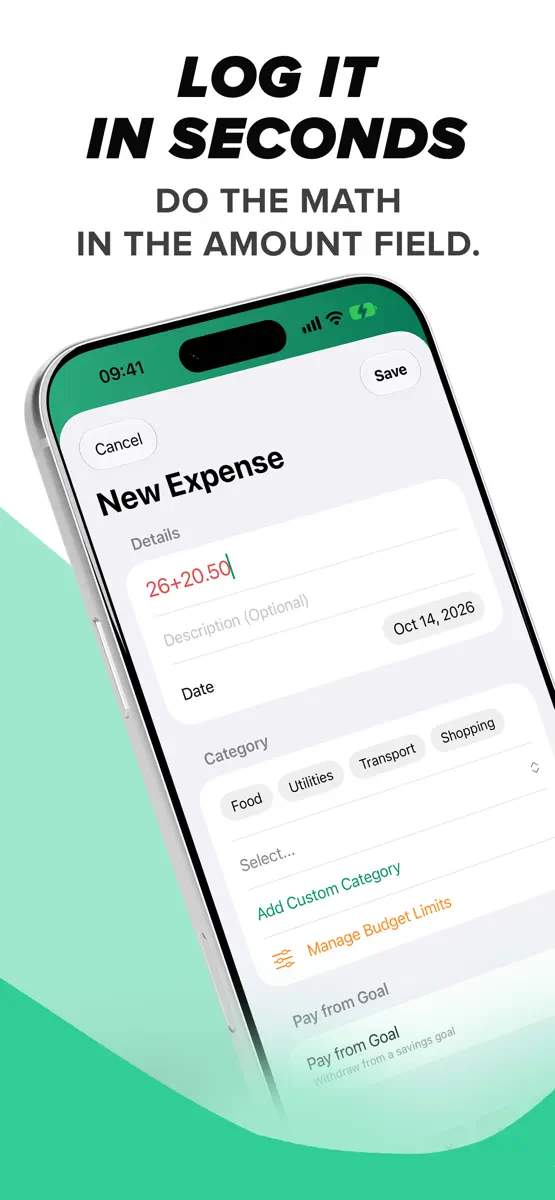
IMPROVED: CALCULATOR
- Type a calculation such as 20-12 in any amount field and save — CoreSpend stores the result. No need to press = first.
IMPROVED: WIDGETS
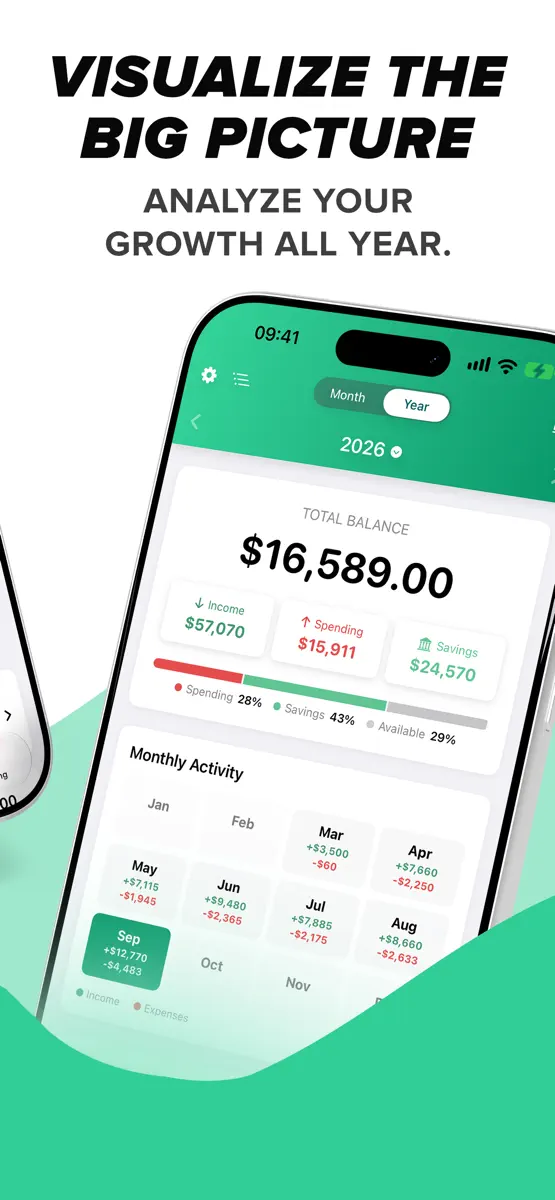
- Large widgets use their full height. Upcoming Bills lists up to seven bills for the next 30 days with the total due, Savings Goals shows active goals first, the Balance widget adds your latest transactions, and the Yearly Overview lists every month so far.
- Today's Spending shows how today compares with yesterday.
- Amounts are shown whole unless the cents matter, and currencies such as zł and Kč sit after the number, as in the app.
- A larger balance on Quick Add Expense and Quick Add Income. Long amounts and long translations fit in every widget.
IMPROVED: SAVINGS
- A summary above your goals: Total Saved, Target, Left and Progress. Four cards on iPad and Mac, a compact strip on iPhone.
- Savings Goals and Analytics use the same clean switch as Spending and Income.
IMPROVED: INCOME AND SPENDING
- Cleaner pages: a Transactions / Recurring switch, a search field with the filter button beside it, and your entries in one card. On iPad the rows have columns for Date, Name, Category and Amount.
- Transactions created by a recurring payment no longer show a time.
FIXED
- Amounts in every card, list and chart stay on one line and scale to fit, even with long currencies.
- More labels translated in all 31 languages, including theme names, Delete, Edit and General.
- Faster loading with a long history.
- Empty calendar days are grey boxes on iPhone and iPad, matching the Mac.
Ranks come from Apple's public App Store charts, checked once a day. Appulse Index isn't affiliated with Apple.