

As of 7 Nov 2026, Rindraw: Draw, Sketch & Paint isn't in any of the App Store charts Appulse Index tracks. Its best rank in the last 7 days was #71 in Paid · Graphics & Design in the United States.
Not charting right now
This app isn't in any tracked top 100 at the moment.
- Longest chart run
- —Counted while Appulse tracks it
- New ratings, 7 days
- —Needs a week of rating history
What's new
Version 1.9 · 1 day ago
• Draw Together shares everything now: moves, colors, deletions, layers, frames and Undo reach everyone, and you see each other’s pointers, views and strokes as they’re drawn. Follow someone’s view, or give your name. In the drawing’s menu. • Laser Pointer: point at your drawing with a trail that fades, and nothing’s drawn. Everyone drawing together sees it. • Erase whole strokes: tap the eraser again and choose to take away every stroke it touches, in one step. • Hold Shift while drawing for a straight line, or Shift-tap to join a line to your last stroke. • Transform snaps to equal spaces between layers, for panels, stickers and rows of sketches. • Hold a drag at the screen’s edge and the canvas moves under it. • Minimap: on an infinite canvas, see all of it, and tap to go anywhere. • Exports carry the canvas’s DPI, so print-sized drawings place at their size.
Ranking events
- New version 1.9 (was 1.8)
- Entered the Paid · Graphics & Design chart at #71United States
About
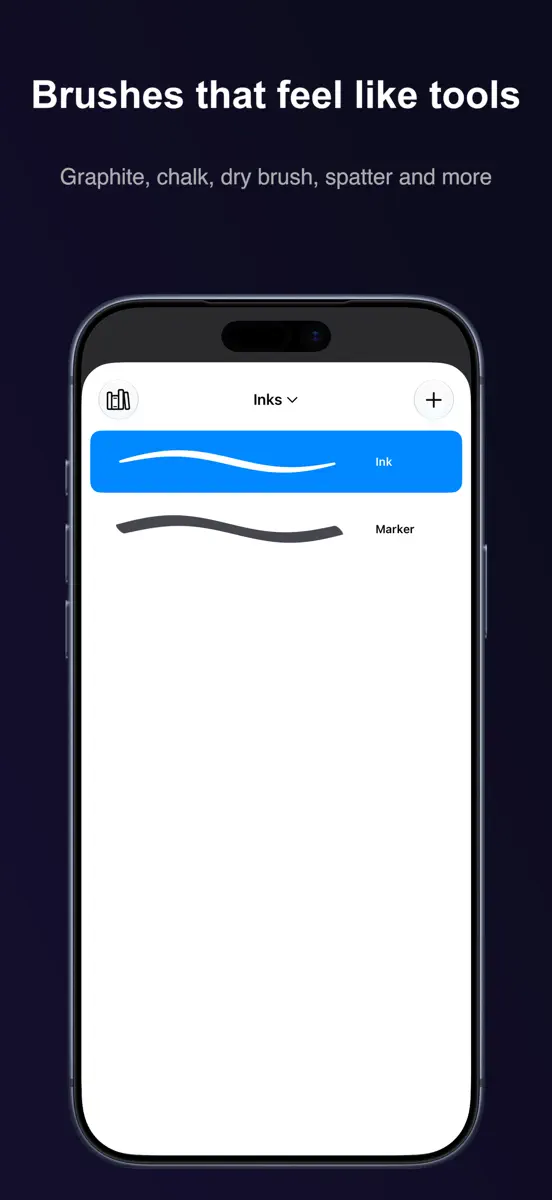
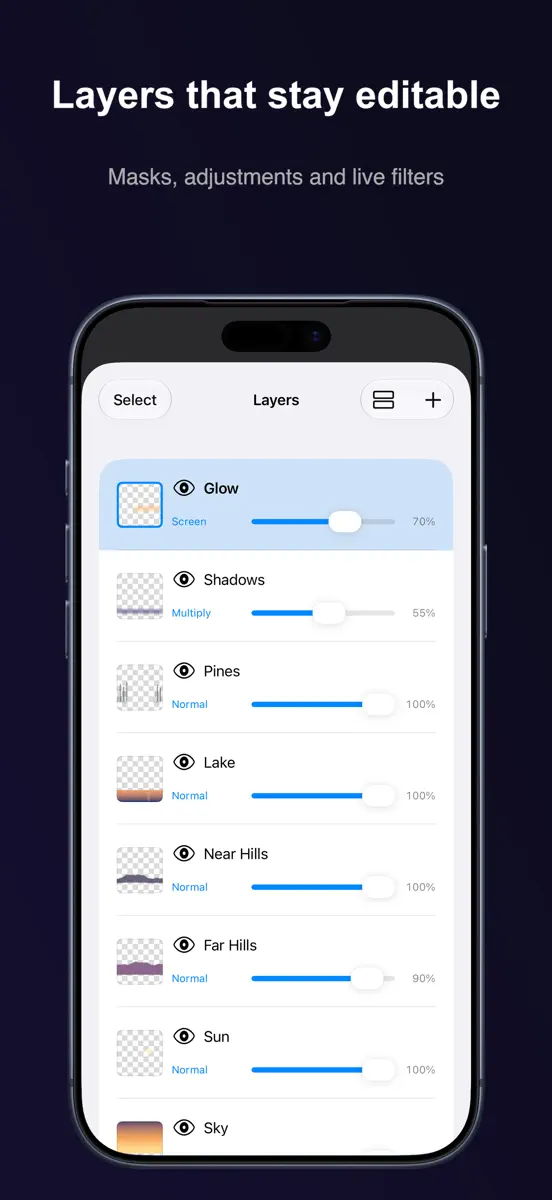
Most apps flatten what you draw into pixels the moment you lift the Pencil. Rindraw doesn't. Every stroke stays a stroke: recolor it next week, bend it, scale it up, and it stays sharp, because Rindraw draws it again instead of stretching it. Your history stays too. Quit, come back days later, and undo still goes back. And it's yours in plainer ways: you pay once for iPad, iPhone and Mac, each drawing is a file you can see in Files, there's no account, and your drawings never come to us. PAY
Ranks come from Apple's public App Store charts, checked once a day. Appulse Index isn't affiliated with Apple.
Current rankings
Not charting right now
This app isn't in any tracked top 100 at the moment. Its history shows when it was.
Competitors
Compare with the top 3Full chartTop of Paid · Graphics & Design in United States. Rindraw: Draw, Sketch & Paint isn't in it right now. Changes are over 7 days.
- #1 (number one)No change
 Procreate PocketSavage Interactive Pty Ltd
- #2Up 1 place
 AltoPaint: Oil & WatercolorHigh Line Labs LLC
- #3Up 2 places
 Nomad SculptHexanomad
- #4Up 2 places
 ibis Paintibis inc.
- #5Down 1 place
 Mono LabInner Circle
- #6Up 35 places
 Miniature StudioJake Ellis
- #7Up 6 places
 Camera Lucida™: AR DrawingCamera Lucida
- #8Up 4 places
- #9Up 6 places
 Color WheelRoman Sevastyanov
- #10Not enough history yet
 MasstoneChady Kassouf
- #11Down 3 places
 RoughAnimator - animation appJacob KAFKA
- #12Up 2 places
 VirtuCamera 2The Weird Byte SL
- #13Down 6 places
 Dazzl: Bedazzling PatternsGolden Egg Media LLC
- #14Up 13 places
 Super Mouth Paint 2000Ryan Sonderegger
- #15New entry
 SpriteTailorEdward Binninger
- #16Not enough history yet
- #17Down 8 places
 Relax For A MinuteJonah Calvo
- #18Up 29 places
 Sketch CleanRobert Katona
- #19Not enough history yet
 VectoraEliezer Fontanez
- #20Up 35 places
 SnodoodleStudio Panda Marmot


Screenshots



More from Sawir Studio LLC
| App | Best rank now | Released | App Store |
|---|---|---|---|
 Par: Calculadora financeiraFinance · | Paid · FinanceBrazil#12 |
As of 7 Nov 2026, Rindraw: Draw, Sketch & Paint isn't in any of the App Store charts Appulse Index tracks. Its best rank in the last 7 days was #71 in Paid · Graphics & Design in the United States.
Store listing
How the app presents itself on the App Store. Select a screenshot to open it full size.
App facts
What Apple publishes about this app. Ratings are from one country's App Store.
- Price
- $12.99
- Released
- 12 Oct 2026
- Last update
- Version 1.9
- Requires
- iOS 16.0or later
- Size
- 117.8 MB
- Languages
- 18
Rank history
Higher on the chart is better: #1 is at the top.
No chart history to show
History appears for charts the app is currently in.
Current rankings
Every chart this app is in right now, best position first.
Not charting right now
This app isn't in any tracked top 100 at the moment. Its history shows when it was.
Ranking events
Entries, big moves, #1s and new versions we've recorded, by day.
- New version 1.9 (was 1.8)
- Entered the Paid · Graphics & Design chart at #71United States
Competitors
Compare with the top 3Full chartTop of Paid · Graphics & Design in United States. Rindraw: Draw, Sketch & Paint isn't in it right now. Changes are over 7 days.
- #1 (number one)No changeProcreate PocketSavage Interactive Pty Ltd
- #2Up 1 placeAltoPaint: Oil & WatercolorHigh Line Labs LLC
- #3Up 2 placesNomad SculptHexanomad
- #4Up 2 placesibis Paintibis inc.
- #5Down 1 placeMono LabInner Circle
- #6Up 35 placesMiniature StudioJake Ellis
- #7Up 6 placesCamera Lucida™: AR DrawingCamera Lucida
- #8Up 4 places
- #9Up 6 placesColor WheelRoman Sevastyanov
- #10Not enough history yetMasstoneChady Kassouf
- #11Down 3 placesRoughAnimator - animation appJacob KAFKA
- #12Up 2 placesVirtuCamera 2The Weird Byte SL
- #13Down 6 placesDazzl: Bedazzling PatternsGolden Egg Media LLC
- #14Up 13 placesSuper Mouth Paint 2000Ryan Sonderegger
- #15New entrySpriteTailorEdward Binninger
- #16Not enough history yet
- #17Down 8 placesRelax For A MinuteJonah Calvo
- #18Up 29 placesSketch CleanRobert Katona
- #19Not enough history yetVectoraEliezer Fontanez
- #20Up 35 placesSnodoodleStudio Panda Marmot
About
From the app's App Store listing.
Most apps flatten what you draw into pixels the moment you lift the Pencil. Rindraw doesn't. Every stroke stays a stroke: recolor it next week, bend it, scale it up, and it stays sharp, because Rindraw draws it again instead of stretching it.
Your history stays too. Quit, come back days later, and undo still goes back.
And it's yours in plainer ways: you pay once for iPad, iPhone and Mac, each drawing is a file you can see in Files, there's no account, and your drawings never come to us.
PAY
What's new
Version 1.9 · 5 Nov 2026 ·
- Draw Together shares everything now: moves, colors, deletions, layers, frames and Undo reach everyone, and you see each other’s pointers, views and strokes as they’re drawn. Follow someone’s view, or give your name. In the drawing’s menu.
- Laser Pointer: point at your drawing with a trail that fades, and nothing’s drawn. Everyone drawing together sees it.
- Erase whole strokes: tap the eraser again and choose to take away every stroke it touches, in one step.
- Hold Shift while drawing for a straight line, or Shift-tap to join a line to your last stroke.
- Transform snaps to equal spaces between layers, for panels, stickers and rows of sketches.
- Hold a drag at the screen’s edge and the canvas moves under it.
- Minimap: on an infinite canvas, see all of it, and tap to go anywhere.
- Exports carry the canvas’s DPI, so print-sized drawings place at their size.
More from Sawir Studio LLC
Their other apps that Appulse has seen in the charts, charting ones first.
| App | Best rank now | Released | App Store |
|---|---|---|---|
Par: Calculadora financeiraFinance · | Paid · FinanceBrazil#12 |
Ranks come from Apple's public App Store charts, checked once a day. Appulse Index isn't affiliated with Apple.