

Price and ratings
- Price
- $5.99
- Rating
- —
- Ratings
- 0United States
Versions
- Released
- 18 Aug 20261 month ago
- Last update
- 9 days agoVersion 2.0.1
- Requires
- iOS 16.0 or later
Details
- Size
- 6.2 MB
- Languages
- 1
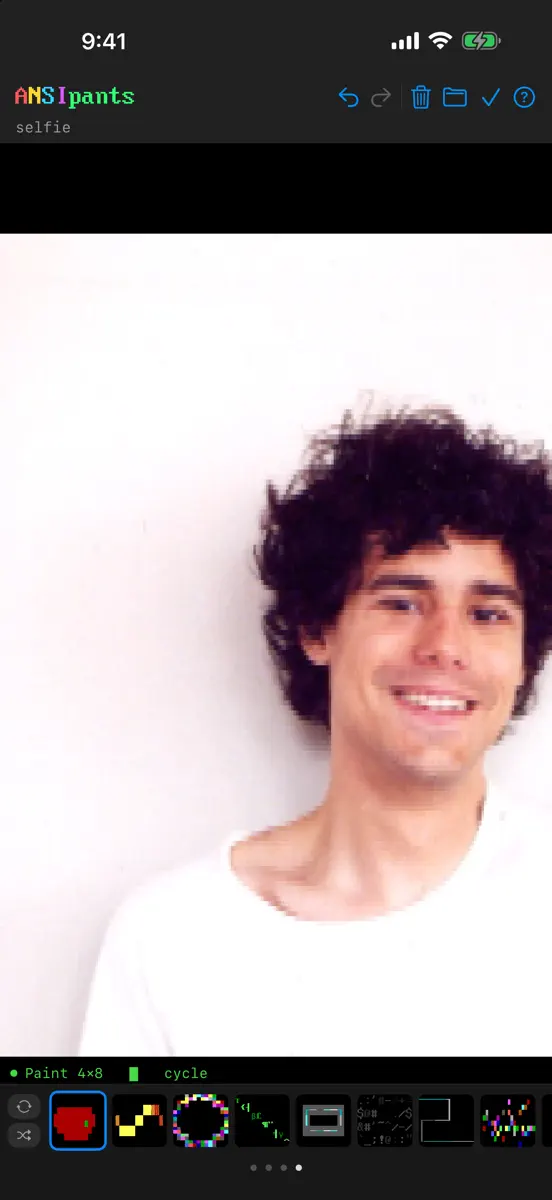
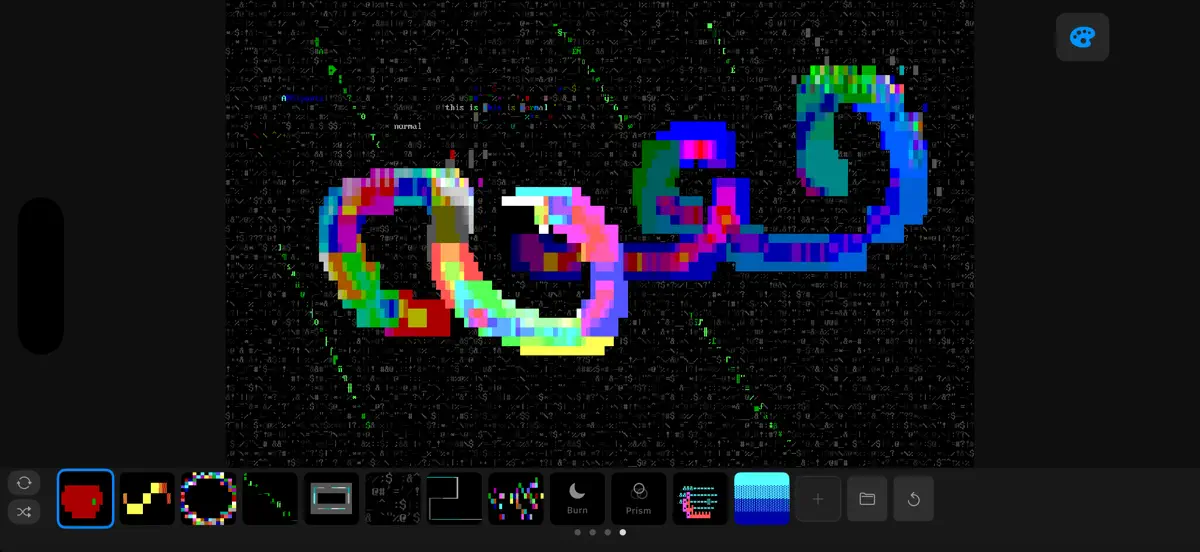
ANSIpants is a full-featured ANSI and ASCII art studio for iPhone, iPad, and Mac. Draw retro text art with modern tools: pressure-sensitive brushes, layers, true color, and a canvas that feels like a paint app. Whether you're recreating the BBS art scene of the '90s or discovering textmode art for the first time, ANSIpants gives you serious drawing tools built for the medium. GET COZY • Pen, paint, smudge, dodge & burn, fill, box, oval, and text tools • Adaptive line width and stitch modes…
Competitors
Full chartTop of Paid · Graphics & Design in United States. ANSIpants is #56 there. Changes are over 7 days.
- #1 (number one)Change unknown
 Procreate PocketSavage Interactive Pty Ltd
 - #2Change unknown
 Wildwood: Follow the CrowsWild In Art Ltd.
 - #3Change unknown
 Mono LabInner Circle
 - #4Change unknown
 Nomad SculptHexanomad
 - #5Change unknown
 ibis Paintibis inc.
 - #6Change unknown
 Transparent App IconsNoah Gilmore
 - #7Change unknown
 Color WheelRoman Sevastyanov
 - #8Change unknown
 Super Mouth Paint 2000Ryan Sonderegger
 - #9Change unknown
 Camera Lucida™: AR DrawingCamera Lucida
 - #10Change unknown
 VizRef LiteStudio Pixanoh
 - #11Change unknown
 VirtuCamera 2The Weird Byte SL
 - #12Change unknown
 RoughAnimator - animation appJacob KAFKA
 - #13Change unknown
 Signal LossInner Circle
 - #14Change unknown
 Wada's Dictionary of ColorsBrut Empire
 - #15Change unknown
- #16Change unknown
 ChromaMagicMichele Clamp
 - #17Change unknown
 Sketch Clubblackpawn.com
 - #18Change unknown
 Kitchen Editor 3D: Design AppSergii Melnyk
 - #19Change unknown
 ToneStencil - Stencil MakerSteve Mitchell
 - #20Change unknown
 Patchd: Video FX PlaygroundIbrahim Sefa Tuna

Store listing
How the app presents itself on the App Store. Select a screenshot to open it full size.

What's new
Version 2.0.1 · 29 Sep 2026 · 9 days ago
Many bug fixes and improvements. The soft launch continues! Canvas • The canvas draws CP437 characters from the IBM VGA 8x16 bitmap, matching the terminal and browser editions. A switch in About turns it off. • New app icon. Characters • The Unicode, CP437 and ASCII pickers use one scrolling grid. Picking a character keeps the picker open. Dragging across the grid adds characters to a Random pool. • ASCII document mode, alongside Unicode and Classic. • F1-F10 stamp glyphs from four banks on Mac and on iPad with a keyboard. • Hovering a character shows it enlarged with its name and code point. Save & Export • Formats are listed by extension: .ansipants, .png (optionally a 1920x1080 frame), .ans, .txt. Clicking an extension writes that one format without closing the sheet. • Save to Photos works on Mac. Save As opens the Mac save panel. • Saving does not overwrite an imported .ans file. Signed art opened for viewing cannot be changed. • A project file carries its presets. Tools • Mirror draws the mirrored side during the stroke. Smudge and Spray mirror too. • Velocity sensitivity has its own slider. Slider values can be typed. • Panspect inspects the cell under the pointer or a hovering Apple Pencil. • Dodge, Burn, Prism and Scatter have a Grays toggle. • With the background set to no color, drawing over a solid block keeps the visible color. • Smudge has FG, BG and Character toggles and a pick-up interval. Tangent is back in the oval options. Half-cell and quarter-cell brushes use the same resolver as the terminal editions. Presets and color • The app opens with preset 1 applied. Picking a tool ends a preset cycle. Presets exchange with the terminal editions. • Colors outside a cycle or random pool are dimmed. • True color documents have a 256 / 16M switch in the color bar. Hex codes and slider numbers can be typed. Layout • The sidebar, labels and status bar use the same layout and wording as the terminal editions. • On Mac and on iPad with a pointer, the status bar describes the control under the pointer. Coordinates follow the pointer. • iPad: the whole canvas is visible at launch. Fullscreen has a bottom bar with Colors, Tools and Presets pages. • iPhone: the Toolbox includes Velocity and color depth for every tool. • In a narrow window, a tab switches the bottom bar between colors and presets. Fixes • The canvas no longer jumps when Clear is armed, a Pencil hovers or a pinch is slow. • A stroke that leaves the canvas stops at the edge and resumes where it re-enters. • Backspace in the Text tool restores what the typing covered. • Fixes to blink, mono and 16-color export, very large exports and 1080 frames of tall art.
Current rankings
Every chart this app is in right now, best position first.
| Chart | Rank | 24 h | 7 days | Best | Days on chart |
|---|---|---|---|---|---|
| United States· Paid · Graphics & Design | #56 | Change unknown | Change unknown | #44 | 2 |
Rank history
Higher on the chart is better: #1 is at the top.
Sign in to see 30 days, 90 days and all history.
United States · Paid · Graphics & Design: best #44, latest #56, over 2 snapshots since 8 Oct. No snapshots from 8 Oct to 9 Oct; the line joins the snapshots on either side.
Ranking events
Entries, big moves, #1s and new versions we've recorded.
No events recorded yet
Events appear as the app enters charts, moves 25+ places or ships a new version.