

As of 7 Nov 2026, Bookend is #25 in Paid · Productivity in Australia, the one tracked chart it's in.
Current rank
#25Australia · Paid · Productivity
- Was
- —7 days ago
- Change
- Not enough history yetover 7 days
- Best
- #25in 7 days
- Longest chart run
- 1 dayAustralia · Paid · Productivity
- New ratings, 7 days
- —Needs a week of rating history
What's new
Version 1.8.5 · 1 day ago
Flowcharts, reimagined, plus three ways to view your pages. • A completely rebuilt flowchart block. Build and edit diagrams right on the canvas: add nodes and connect them with a click, drag them anywhere, and edit labels in place. Choose node shapes (rectangle, rounded, diamond, decision, start/end, document) and connector styles (straight, square, rounded, or curved), tidy the whole thing with one-tap Rearrange, follow a node's link, and align the diagram left, centre, or right. Cleaner connectors, readable labels, and a calmer, more polished look. • New viewing modes: Standard, Scroll, and Print. Pick a default for the app, or give an individual page its own mode. Print View lays your document out as a stack of A4 pages, so you can see how it reads on paper. • Focus Mode (formerly Concentration Mode): a distraction-free, full-screen writing view, now available with any viewing mode.
Ranking events
- Entered the Paid · Productivity chart at #25Australia
About
Your knowledge. Your files. Your tools. Bookend is a local-first notebook and knowledge workspace for everything from quick notes to deeply connected research libraries. Write, organise, calculate, cross-reference and build interactive tools around your information, without a mandatory account, subscription or cloud service. WRITE AND ORGANISE • Create rich documents with text, images, tables, diagrams and files. • Organise your work into books, sections, chapters and pages. • Navigate with…
Ranks come from Apple's public App Store charts, checked once a day. Appulse Index isn't affiliated with Apple.
Rank history
Higher on the chart is better: #1 is at the top.
Sign in to see 30 days, 90 days and all history.
Australia · Paid · Productivity: best #25, latest #25, over 7 snapshots since 1 Nov.
In 1 chart now
| Chart | Rank | 24 h | 7 days | Best | Days on chart |
|---|---|---|---|---|---|
| Australia· Paid · Productivity · best #25 · 1 day | #25 | New entry | Not enough history yet | #25 | 1 |
Competitors
Compare with the top 3Full chartTop of Paid · Productivity in Australia. Bookend is #25 there. Changes are over 7 days.
- #1 (number one)No change
 TypeDrawTrautmann & Dorre GbR Shaped Agency
- #2No change
 Goblin ToolsSkyhook
- #3Up 1 place
 Site Audit ProVeam Studios Ltd
- #4Not enough history yet
 Pocket Mac LabDeclann Tan
- #5No change
 Things 3Cultured Code GmbH & Co. KG
- #6Up 50 places
 eDrawingsDassault Systemes SolidWorks Corporation
- #7New entry
 Calculator Speed Distance TimeMaksims Kirhensteins
- #8New entry
 CalendariaJorge Cohen
- #9Up 22 places
 View LaterSAMANTHA CAMBETIS
- #10Not enough history yet
 SocialFocus: Hide DistractionsYevhen Tretiakov
- #11Up 40 places
 BusyCal: Calendar & TasksBusy Apps FZE
- #12Not enough history yet
 impcatDesign Bench - Immersive Agency
- #13Up 33 places
 DumbifyAB Apps Inc.
- #14New entry
 PipefitterTomasz Szymanski
- #15Not enough history yet
 gtsync: Sync Tasks & RemindersFlorian Kaiser
- #16New entry
- #17New entry
 EML ViewerMatrix Logic Corporation
- #18New entry
 URL to QR for SafariTomoya Onishi
- #19Down 16 places
 Shift WorkerProduction Shed Pty Ltd
- #20Down 11 places
 Groundwire: VoIP SIP SoftphoneAcrobits

Screenshots

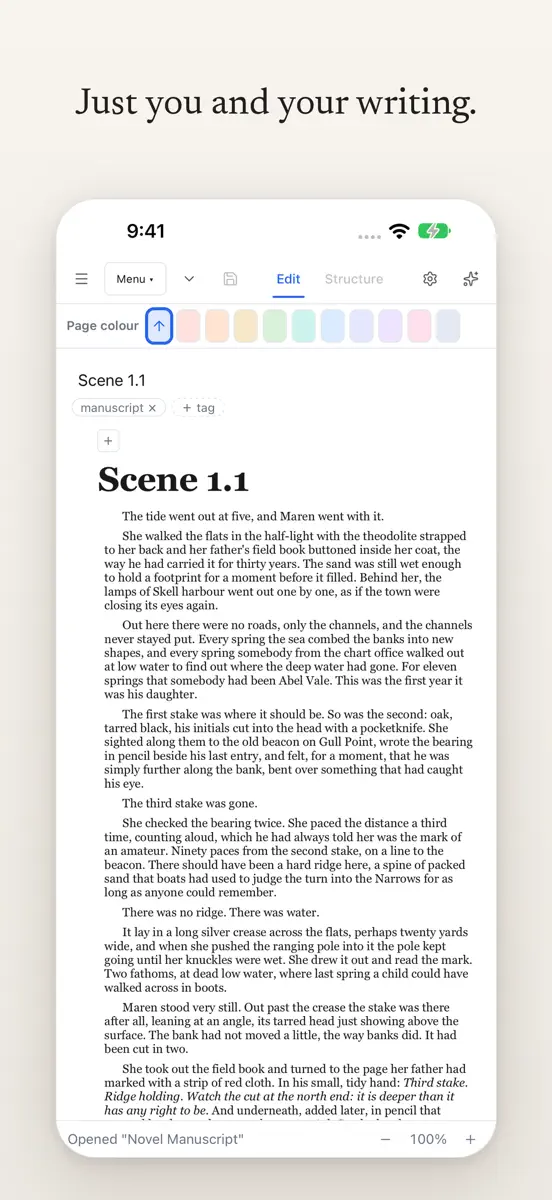
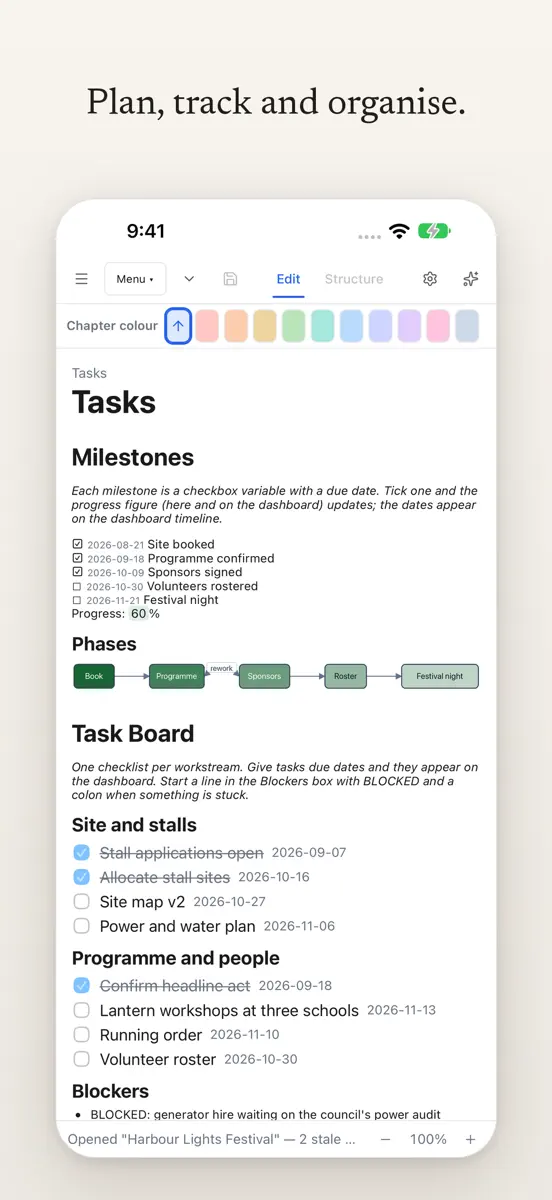

As of 7 Nov 2026, Bookend is #25 in Paid · Productivity in Australia, the one tracked chart it's in.
Store listing
How the app presents itself on the App Store. Select a screenshot to open it full size.
App facts
What Apple publishes about this app. Ratings are from one country's App Store.
- Price
- A$9.99
- Released
- 2 Nov 2026
- Last update
- Version 1.8.5
- Requires
- iOS 15.0or later
- Size
- 32.9 MB
- Languages
- 1
Rank history
Higher on the chart is better: #1 is at the top.
Sign in to see 30 days, 90 days and all history.
Australia · Paid · Productivity: best #25, latest #25, over 7 snapshots since 1 Nov.
Current rankings
Every chart this app is in right now, best position first.
| Chart | Rank | 24 h | 7 days | Best | Days on chart |
|---|---|---|---|---|---|
| Australia· Paid · Productivity · best #25 · 1 day | #25 | New entry | Not enough history yet | #25 | 1 |
Ranking events
Entries, big moves, #1s and new versions we've recorded, by day.
- Entered the Paid · Productivity chart at #25Australia
Competitors
Compare with the top 3Full chartTop of Paid · Productivity in Australia. Bookend is #25 there. Changes are over 7 days.
- #1 (number one)No changeTypeDrawTrautmann & Dorre GbR Shaped Agency
- #2No changeGoblin ToolsSkyhook
- #3Up 1 placeSite Audit ProVeam Studios Ltd
- #4Not enough history yetPocket Mac LabDeclann Tan
- #5No changeThings 3Cultured Code GmbH & Co. KG
- #6Up 50 placeseDrawingsDassault Systemes SolidWorks Corporation
- #7New entryCalculator Speed Distance TimeMaksims Kirhensteins
- #8New entryCalendariaJorge Cohen
- #9Up 22 placesView LaterSAMANTHA CAMBETIS
- #10Not enough history yetSocialFocus: Hide DistractionsYevhen Tretiakov
- #11Up 40 placesBusyCal: Calendar & TasksBusy Apps FZE
- #12Not enough history yetimpcatDesign Bench - Immersive Agency
- #13Up 33 placesDumbifyAB Apps Inc.
- #14New entryPipefitterTomasz Szymanski
- #15Not enough history yetgtsync: Sync Tasks & RemindersFlorian Kaiser
- #16New entry
- #17New entryEML ViewerMatrix Logic Corporation
- #18New entryURL to QR for SafariTomoya Onishi
- #19Down 16 placesShift WorkerProduction Shed Pty Ltd
- #20Down 11 placesGroundwire: VoIP SIP SoftphoneAcrobits
- #25New entryBookendThis app
About
From the app's App Store listing.
Your knowledge. Your files. Your tools.
Bookend is a local-first notebook and knowledge workspace for everything from quick notes to deeply connected research libraries. Write, organise, calculate, cross-reference and build interactive tools around your information, without a mandatory account, subscription or cloud service.
WRITE AND ORGANISE
- Create rich documents with text, images, tables, diagrams and files.
- Organise your work into books, sections, chapters and pages.
- Navigate with…
What's new
Version 1.8.5 · 6 Nov 2026 ·
Flowcharts, reimagined, plus three ways to view your pages.
- A completely rebuilt flowchart block. Build and edit diagrams right on the canvas: add nodes and connect them with a click, drag them anywhere, and edit labels in place. Choose node shapes (rectangle, rounded, diamond, decision, start/end, document) and connector styles (straight, square, rounded, or curved), tidy the whole thing with one-tap Rearrange, follow a node's link, and align the diagram left, centre, or right. Cleaner connectors, readable labels, and a calmer, more polished look.
- New viewing modes: Standard, Scroll, and Print. Pick a default for the app, or give an individual page its own mode. Print View lays your document out as a stack of A4 pages, so you can see how it reads on paper.
- Focus Mode (formerly Concentration Mode): a distraction-free, full-screen writing view, now available with any viewing mode.
Ranks come from Apple's public App Store charts, checked once a day. Appulse Index isn't affiliated with Apple.